| Description | Replace a corroded or damaged lightning connector in your iPhone 7 Plus.
If your phone isn't charging, has connectivity problems, is not recognized when plugged into your computer via USB, or has trouble recording audio, this part could fix the problem.
Specifications:
| Replace the internal clips that hold the external button covers in place.
These clips snap over the posts on the inside of the power and volume button covers, preventing the button covers from falling out of the iPhone's case.
Set of three clips. | This Dual Rear Camera includes both 12 megapixel rear-facing cameras, one wide-angle camera with Optical Image Stabilization and one telephoto camera with optical zoom.
If the camera assembly has sensor issues, problems focusing, or is malfunctioning, you'll want to replace this part.
Note: If your photos look like you have a scratched lens, this part will not solve the issue. The lens opening in your rear case may be scratched. | Replace a front-facing camera and sensor cable in your iPhone iPhone 7 Plus and fix problems with front-facing camera images, poor noise cancelling for phone calls, or malfunctioning screen brightness adjustment.
Specifications:
| Includes 6 gaskets.
Replace any or all of this set of six o-ring gaskets for the power or volume button face posts in an iPhone 7 or iPhone 7 Plus.
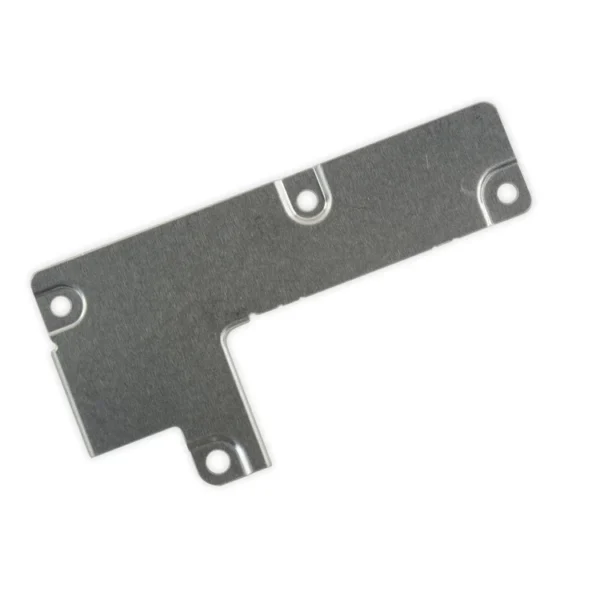
Each of the volume button faces and the power button face have two posts that extend to the interior of the phone. Each post has a tiny gasket. That makes six gaskets for one phone or two for each button face. | This metal bracket secures the connectors from the LCD and digitizer as well as the battery cable to the logic board. |
| Content | iPhone 7 Plus Lightning Connector Assembly
Replace a corroded or damaged lightning connector in your iPhone 7 Plus.
If your phone isn't charging, has connectivity problems, is not recognized when plugged into your computer via USB, or has trouble recording audio, this part could fix the problem.
Specifications:
| iPhone 7/7 Plus Power/Volume Button Retaining Clips
Replace the internal clips that hold the external button covers in place.
These clips snap over the posts on the inside of the power and volume button covers, preventing the button covers from falling out of the iPhone's case.
Set of three clips. | iPhone 7 Plus Dual Rear Camera
This Dual Rear Camera includes both 12 megapixel rear-facing cameras, one wide-angle camera with Optical Image Stabilization and one telephoto camera with optical zoom.
If the camera assembly has sensor issues, problems focusing, or is malfunctioning, you'll want to replace this part.
Note: If your photos look like you have a scratched lens, this part will not solve the issue. The lens opening in your rear case may be scratched. | iPhone 7 Plus/8 Plus Home Button Bracket
Replace a missing or bent metal bracket securing the home button assembly to the back of the display assembly and fix a misaligned home button. | iPhone 7/7 Plus Power and Volume Button Gaskets
Includes 6 gaskets.
Replace any or all of this set of six o-ring gaskets for the power or volume button face posts in an iPhone 7 or iPhone 7 Plus.
Each of the volume button faces and the power button face have two posts that extend to the interior of the phone. Each post has a tiny gasket. That makes six gaskets for one phone or two for each button face. | iPhone 7 Plus Front Panel Assembly Cable Bracket
This metal bracket secures the connectors from the LCD and digitizer as well as the battery cable to the logic board. |




Reviews
There are no reviews yet.