| Description | Replace a corroded or damaged lightning connector in your iPhone 7 Plus.
If your phone isn't charging, has connectivity problems, is not recognized when plugged into your computer via USB, or has trouble recording audio, this part could fix the problem.
Specifications:
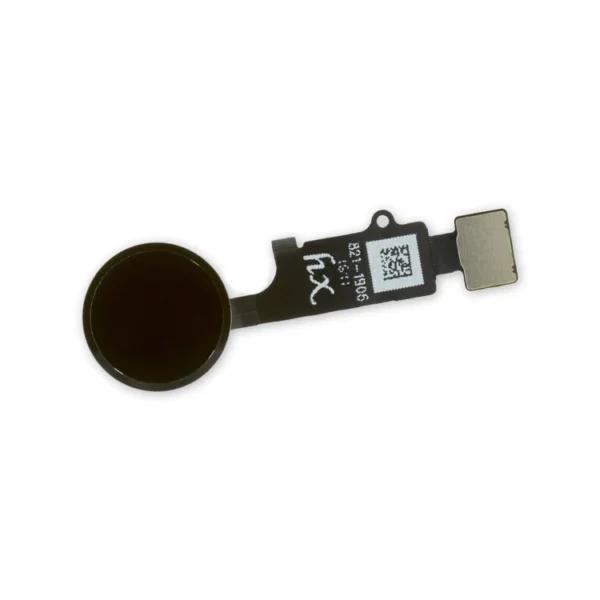
| Replace a home button assembly in your iPhone 7/7 Plus/8/8 Plus and fix an unresponsive home button. | Replace a backlight filter on the logic board of the following iPhone models with their component labels:
- iPhone 6s and iPhone 6s Plus
- FL4211
- FL4212
- FL4213
- FL4291
- FL4292
- FL4293
- iPhone 7 and iPhone 7 Plus
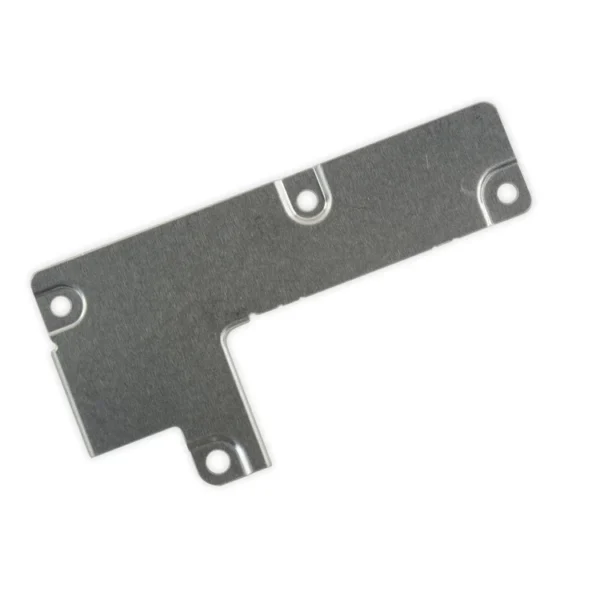
Are you learning to micro solder or starting your own board level repair business? This component is included in the Board Component Bundle. | This metal bracket secures the connectors from the LCD and digitizer as well as the battery cable to the logic board. | This Dual Rear Camera includes both 12 megapixel rear-facing cameras, one wide-angle camera with Optical Image Stabilization and one telephoto camera with optical zoom.
If the camera assembly has sensor issues, problems focusing, or is malfunctioning, you'll want to replace this part.
Note: If your photos look like you have a scratched lens, this part will not solve the issue. The lens opening in your rear case may be scratched. | All iPhone 6s, 6s Plus, 7, and 7 Plus phones have two proprietary 5-point pentalobe screws near the lightning connector to keep anyone other than an Apple technician from opening the phone.
Includes two replacement screws. |
| Content | iPhone 7 Plus Lightning Connector Assembly
Replace a corroded or damaged lightning connector in your iPhone 7 Plus.
If your phone isn't charging, has connectivity problems, is not recognized when plugged into your computer via USB, or has trouble recording audio, this part could fix the problem.
Specifications:
| iPhone 7/7 Plus/8/8 Plus Replacement Home Button
Replace a home button assembly in your iPhone 7/7 Plus/8/8 Plus and fix an unresponsive home button. | iPhone 6s/6s Plus/7/7 Plus Backlight Filter
Replace a backlight filter on the logic board of the following iPhone models with their component labels:
- iPhone 6s and iPhone 6s Plus
- FL4211
- FL4212
- FL4213
- FL4291
- FL4292
- FL4293
- iPhone 7 and iPhone 7 Plus
Are you learning to micro solder or starting your own board level repair business? This component is included in the Board Component Bundle. | iPhone 7 Plus Front Panel Assembly Cable Bracket
This metal bracket secures the connectors from the LCD and digitizer as well as the battery cable to the logic board. | iPhone 7 Plus Dual Rear Camera
This Dual Rear Camera includes both 12 megapixel rear-facing cameras, one wide-angle camera with Optical Image Stabilization and one telephoto camera with optical zoom.
If the camera assembly has sensor issues, problems focusing, or is malfunctioning, you'll want to replace this part.
Note: If your photos look like you have a scratched lens, this part will not solve the issue. The lens opening in your rear case may be scratched. | iPhone 6s/6s Plus/7/7 Plus Bottom Screws
All iPhone 6s, 6s Plus, 7, and 7 Plus phones have two proprietary 5-point pentalobe screws near the lightning connector to keep anyone other than an Apple technician from opening the phone.
Includes two replacement screws. |






Reviews
There are no reviews yet.