| SKU | iPhone 7 Plus Front Panel Clips | iPhone 6s/6s Plus/7/7 Plus Bottom Screws | iPhone 7 Plus Dual Rear Camera Lens Cover | iPhone 7 Plus Case Button Set | iPhone 7/7 Plus Power/Volume Button Retaining Clips | iPhone 7/7 Plus Test Cable for Front Camera and Sensors |
| Description |
- Replace the set of six retaining clips in the edges of the rear case.
- Set includes two small clips and four large clips.
- These clips help hold the front panel assembly in place.
| All iPhone 6s, 6s Plus, 7, and 7 Plus phones have two proprietary 5-point pentalobe screws near the lightning connector to keep anyone other than an Apple technician from opening the phone.
Includes two replacement screws. | Replace the external lens covers for the dual rear-facing cameras in your iPhone 7 Plus.
Note: Removal of this part requires breaking spot welds between the lens cover bezel and the internal camera bracket. This is a difficult task. Be sure to review all of the replacement guide before attempting this repair. |
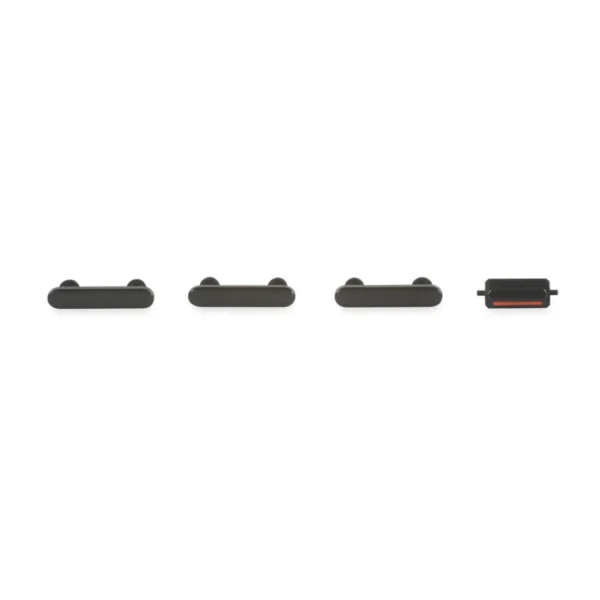
- This set of exterior case buttons includes the Power/Lock Button, Volume Buttons, and the Vibrate/Ring Switch for replacing buttons with cosmetic troubles.
- These parts are only the button faces visible on the outside of the case.
- The actual buttons and switch that do all the work are attached to the internal button cables.
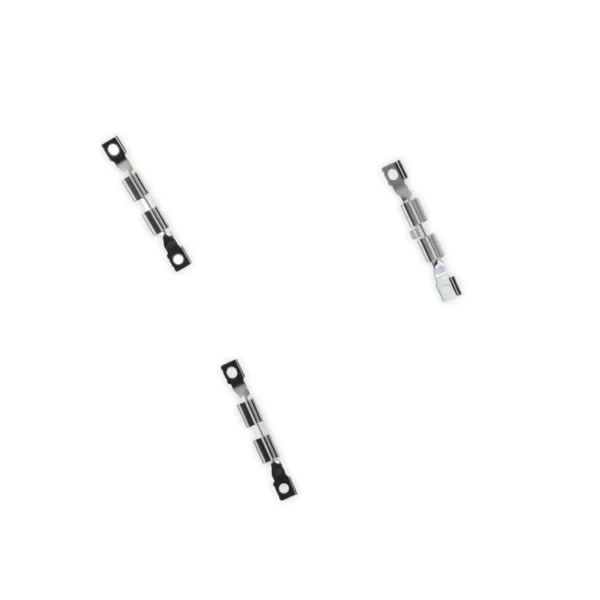
| Replace the internal clips that hold the external button covers in place.
These clips snap over the posts on the inside of the power and volume button covers, preventing the button covers from falling out of the iPhone's case.
Set of three clips. |
- This handy test cable makes it easy to check the functions of an iPhone 7 or iPhone 7 Plus front-facing camera and sensor cable assembly without having to complete the installation and close up the iPhone's case.
- Indispensable to anyone who makes multiple iPhone 7 and iPhone 7 Plus repairs.
- With this cable installed you can connect, test, and quickly swap multiple replacement front-facing camera and sensor cables without wearing out the delicate press fit connectors on the logic board.
|
| Content | iPhone 7 Plus Front Panel Clips
- Replace the set of six retaining clips in the edges of the rear case.
- Set includes two small clips and four large clips.
- These clips help hold the front panel assembly in place.
| iPhone 6s/6s Plus/7/7 Plus Bottom Screws
All iPhone 6s, 6s Plus, 7, and 7 Plus phones have two proprietary 5-point pentalobe screws near the lightning connector to keep anyone other than an Apple technician from opening the phone.
Includes two replacement screws. | iPhone 7 Plus Dual Rear Camera Lens Cover
Replace the external lens covers for the dual rear-facing cameras in your iPhone 7 Plus.
Note: Removal of this part requires breaking spot welds between the lens cover bezel and the internal camera bracket. This is a difficult task. Be sure to review all of the replacement guide before attempting this repair. | iPhone 7 Plus Case Button Set
- This set of exterior case buttons includes the Power/Lock Button, Volume Buttons, and the Vibrate/Ring Switch for replacing buttons with cosmetic troubles.
- These parts are only the button faces visible on the outside of the case.
- The actual buttons and switch that do all the work are attached to the internal button cables.
| iPhone 7/7 Plus Power/Volume Button Retaining Clips
Replace the internal clips that hold the external button covers in place.
These clips snap over the posts on the inside of the power and volume button covers, preventing the button covers from falling out of the iPhone's case.
Set of three clips. | iPhone 7/7 Plus Test Cable for Front Camera and Sensors
- This handy test cable makes it easy to check the functions of an iPhone 7 or iPhone 7 Plus front-facing camera and sensor cable assembly without having to complete the installation and close up the iPhone's case.
- Indispensable to anyone who makes multiple iPhone 7 and iPhone 7 Plus repairs.
- With this cable installed you can connect, test, and quickly swap multiple replacement front-facing camera and sensor cables without wearing out the delicate press fit connectors on the logic board.
|






Reviews
There are no reviews yet.