Description
iPhone 7 Plus Front Panel Clips
- Replace the set of six retaining clips in the edges of the rear case.
- Set includes two small clips and four large clips.
- These clips help hold the front panel assembly in place.


$11.00
| iPhone 7 Plus Front Panel Clips remove | iPhone 7/7 Plus Hold Switch Gasket remove | iPhone 7 Plus Bare Logic Board remove | iPhone 7/7 Plus Test Cable for Audio Control Cable remove | iPhone 7 Plus Audio Control Cable and Brackets remove | iPhone 7 Plus Wi-Fi Diversity Antenna remove | |||||||||||||||||||||||||
|---|---|---|---|---|---|---|---|---|---|---|---|---|---|---|---|---|---|---|---|---|---|---|---|---|---|---|---|---|---|---|
| Name | iPhone 7 Plus Front Panel Clips remove | iPhone 7/7 Plus Hold Switch Gasket remove | iPhone 7 Plus Bare Logic Board remove | iPhone 7/7 Plus Test Cable for Audio Control Cable remove | iPhone 7 Plus Audio Control Cable and Brackets remove | iPhone 7 Plus Wi-Fi Diversity Antenna remove | ||||||||||||||||||||||||
| Image | 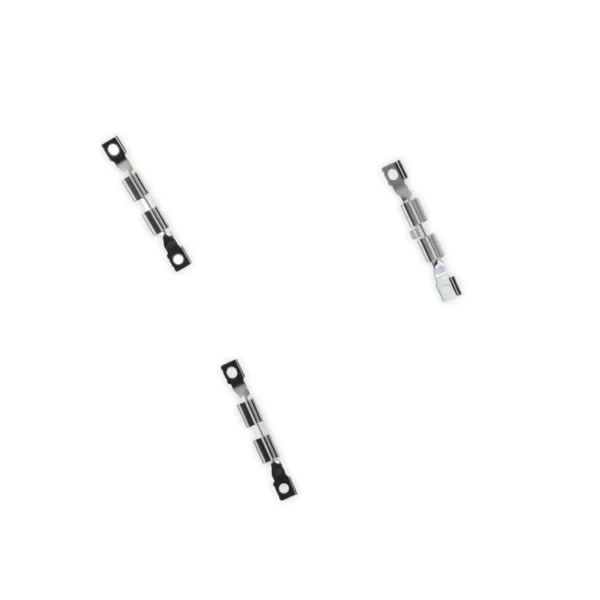 |  | 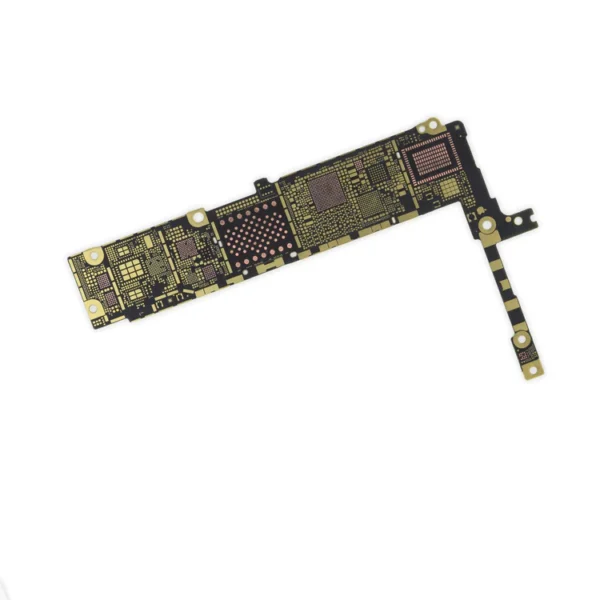 |  | 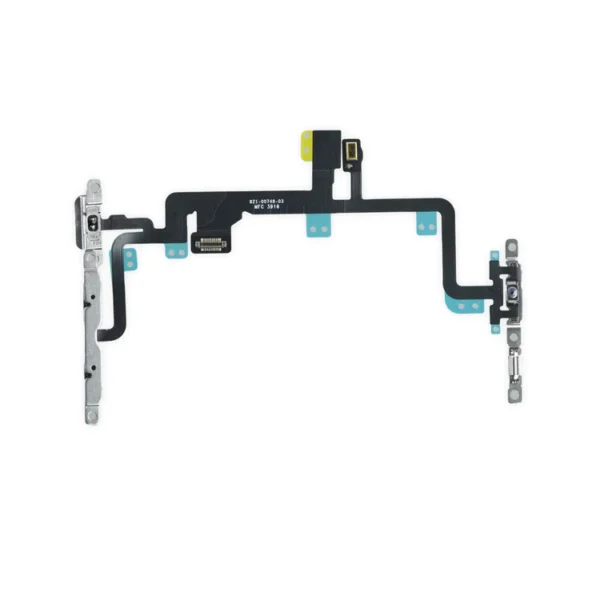 |  | ||||||||||||||||||||||||
| SKU | iPhone 7 Plus Front Panel Clips | iPhone 7/7 Plus Hold Switch Gasket | iPhone 7 Plus Bare Logic Board | iPhone 7/7 Plus Test Cable for Audio Control Cable | iPhone 7 Plus Audio Control Cable and Brackets | iPhone 7 Plus Wi-Fi Diversity Antenna | ||||||||||||||||||||||||
| Rating | ||||||||||||||||||||||||||||||
| Price | $11.00 | $1.05 | $11.00 | $11.00 | $21.00 | $7.00 | ||||||||||||||||||||||||
| Stock | ||||||||||||||||||||||||||||||
| Availability | ||||||||||||||||||||||||||||||
| Add to cart | ||||||||||||||||||||||||||||||
| Description |
|
Replace a torn or missing gasket on the hold button assembly for an iPhone 7 or iPhone 7 Plus. This gasket fits around the body of the hold button assembly. | Replace a bare logic board (with no components) for the iPhone 7 Plus.
This is only the board to which all the surface soldered components would be mounted. |
|
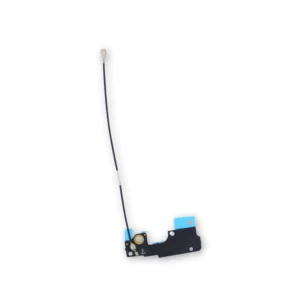
| Replace a torn or missing Wi-Fi Diversity Antenna in your iPhone 7 Plus and fix unreliable connections to Wi-Fi signal.
This Wi-Fi Diversity and cable is adhered to the loudspeaker in the lower right corner inside the rear case. Specifications:
| ||||||||||||||||||||||||
| Content | iPhone 7 Plus Front Panel Clips
| iPhone 7/7 Plus Hold Switch GasketReplace a torn or missing gasket on the hold button assembly for an iPhone 7 or iPhone 7 Plus. This gasket fits around the body of the hold button assembly. | iPhone 7 Plus Bare Logic BoardReplace a bare logic board (with no components) for the iPhone 7 Plus.This is only the board to which all the surface soldered components would be mounted. | iPhone 7/7 Plus Test Cable for Audio Control Cable
| iPhone 7 Plus Audio Control Cable and Brackets
| iPhone 7 Plus Wi-Fi Diversity AntennaReplace a torn or missing Wi-Fi Diversity Antenna in your iPhone 7 Plus and fix unreliable connections to Wi-Fi signal.This Wi-Fi Diversity and cable is adhered to the loudspeaker in the lower right corner inside the rear case. Specifications:
| ||||||||||||||||||||||||
| Weight | N/A | N/A | N/A | N/A | N/A | N/A | ||||||||||||||||||||||||
| Dimensions | N/A | N/A | N/A | N/A | N/A | N/A | ||||||||||||||||||||||||
| Additional information |
|
|
|
|
|
|


Reviews
There are no reviews yet.