Description
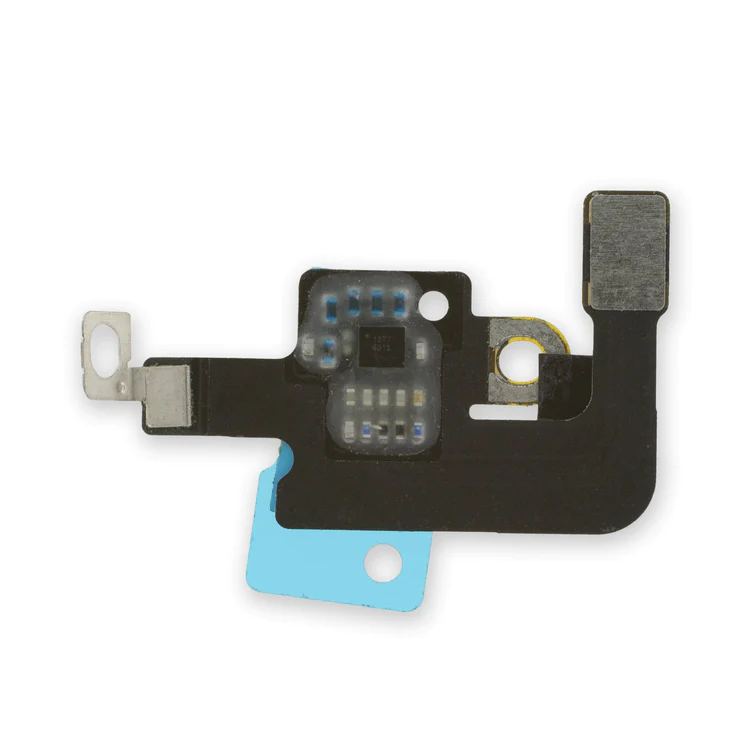
iPhone 7 Plus Top Center Antenna Cable
Replace the antenna cable in the top center of the rear case in your iPhone 7 Plus smartphone.

$6.00
Replace the antenna cable in the top center of the rear case in your iPhone 7 Plus smartphone.
Replace the antenna cable in the top center of the rear case in your iPhone 7 Plus smartphone.
| iPhone 7 Plus Top Center Antenna Cable remove | iPhone 7 Plus Lightning Connector Assembly remove | iPhone 7 Plus/8 Plus Home Button Bracket remove | iPhone 7 Plus Top Left Antenna remove | iPhone 7/7 Plus Hold Switch Gasket remove | iPhone 7 Plus Front Panel Assembly Cable Bracket remove | |||||||||||||||||||||||||
|---|---|---|---|---|---|---|---|---|---|---|---|---|---|---|---|---|---|---|---|---|---|---|---|---|---|---|---|---|---|---|
| Name | iPhone 7 Plus Top Center Antenna Cable remove | iPhone 7 Plus Lightning Connector Assembly remove | iPhone 7 Plus/8 Plus Home Button Bracket remove | iPhone 7 Plus Top Left Antenna remove | iPhone 7/7 Plus Hold Switch Gasket remove | iPhone 7 Plus Front Panel Assembly Cable Bracket remove | ||||||||||||||||||||||||
| Image |  |  |  |  |  | 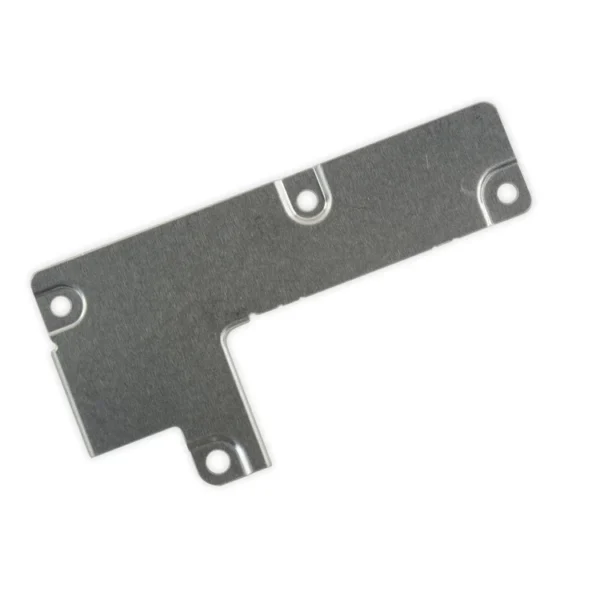 | ||||||||||||||||||||||||
| SKU | iPhone 7 Plus Top Center Antenna Cable | iPhone 7 Plus Lightning Connector Assembly | iPhone 7 Plus Top Left Antenna | iPhone 7/7 Plus Hold Switch Gasket | iPhone 7 Plus Front Panel Assembly Cable Bracket | |||||||||||||||||||||||||
| Rating | ||||||||||||||||||||||||||||||
| Price | $6.00 | $27.00 | $32.00 | $8.00 | $1.05 | $6.00 | ||||||||||||||||||||||||
| Stock | ||||||||||||||||||||||||||||||
| Availability | ||||||||||||||||||||||||||||||
| Add to cart | ||||||||||||||||||||||||||||||
| Description | Replace the antenna cable in the top center of the rear case in your iPhone 7 Plus smartphone. | Replace a corroded or damaged lightning connector in your iPhone 7 Plus. If your phone isn't charging, has connectivity problems, is not recognized when plugged into your computer via USB, or has trouble recording audio, this part could fix the problem. Specifications:
| Replace a front-facing camera and sensor cable in your iPhone iPhone 7 Plus and fix problems with front-facing camera images, poor noise cancelling for phone calls, or malfunctioning screen brightness adjustment.
Specifications:
| Replace the antenna in the top left of the rear case in your iPhone 7 Plus. |
Replace a torn or missing gasket on the hold button assembly for an iPhone 7 or iPhone 7 Plus. This gasket fits around the body of the hold button assembly. | This metal bracket secures the connectors from the LCD and digitizer as well as the battery cable to the logic board. | ||||||||||||||||||||||||
| Content | iPhone 7 Plus Top Center Antenna CableReplace the antenna cable in the top center of the rear case in your iPhone 7 Plus smartphone. | iPhone 7 Plus Lightning Connector AssemblyReplace a corroded or damaged lightning connector in your iPhone 7 Plus. If your phone isn't charging, has connectivity problems, is not recognized when plugged into your computer via USB, or has trouble recording audio, this part could fix the problem. Specifications:
| iPhone 7 Plus/8 Plus Home Button BracketReplace a missing or bent metal bracket securing the home button assembly to the back of the display assembly and fix a misaligned home button. | iPhone 7 Plus Top Left AntennaReplace the antenna in the top left of the rear case in your iPhone 7 Plus. | iPhone 7/7 Plus Hold Switch GasketReplace a torn or missing gasket on the hold button assembly for an iPhone 7 or iPhone 7 Plus. This gasket fits around the body of the hold button assembly. | iPhone 7 Plus Front Panel Assembly Cable BracketThis metal bracket secures the connectors from the LCD and digitizer as well as the battery cable to the logic board. | ||||||||||||||||||||||||
| Weight | N/A | N/A | N/A | N/A | N/A | N/A | ||||||||||||||||||||||||
| Dimensions | N/A | N/A | N/A | N/A | N/A | N/A | ||||||||||||||||||||||||
| Additional information |
|
|
|
|
|
|


Reviews
There are no reviews yet.