Description
iPhone 7 Plus Top Center Antenna Cable
Replace the antenna cable in the top center of the rear case in your iPhone 7 Plus smartphone.

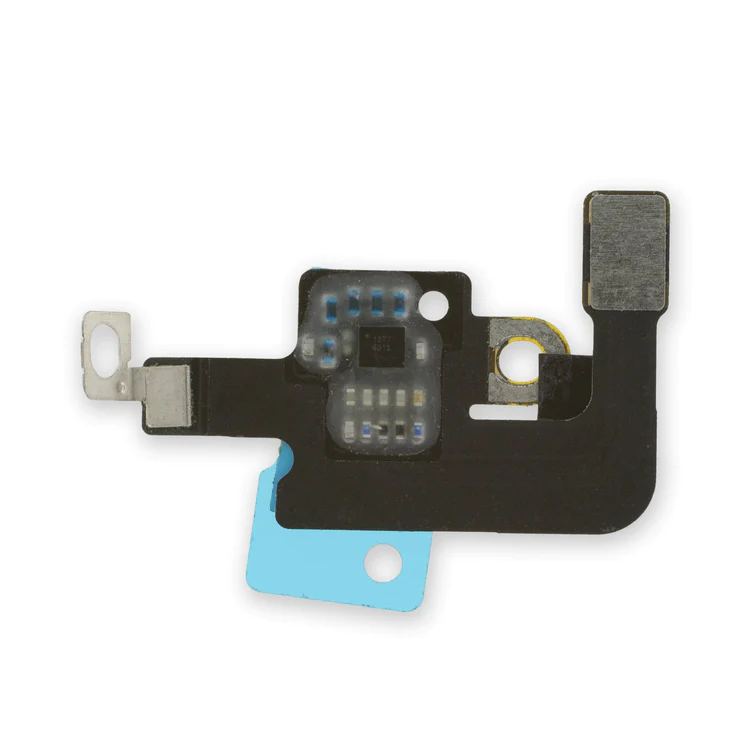
$6.00
Replace the antenna cable in the top center of the rear case in your iPhone 7 Plus smartphone.
Replace the antenna cable in the top center of the rear case in your iPhone 7 Plus smartphone.
| iPhone 7 Plus Top Center Antenna Cable remove | iPhone 7/7 Plus Hold Switch Gasket remove | iPhone 7 Plus Test Cable for LCD Screen and Digitizer remove | iPhone 6s/6s Plus/7/7 Plus Backlight Filter remove | iPhone 7 Plus Dual Rear Camera Lens Cover remove | iPhone 7 Plus/8 Plus Home Button Bracket remove | |||||||||||||||||||||||||||||||
|---|---|---|---|---|---|---|---|---|---|---|---|---|---|---|---|---|---|---|---|---|---|---|---|---|---|---|---|---|---|---|---|---|---|---|---|---|
| Name | iPhone 7 Plus Top Center Antenna Cable remove | iPhone 7/7 Plus Hold Switch Gasket remove | iPhone 7 Plus Test Cable for LCD Screen and Digitizer remove | iPhone 6s/6s Plus/7/7 Plus Backlight Filter remove | iPhone 7 Plus Dual Rear Camera Lens Cover remove | iPhone 7 Plus/8 Plus Home Button Bracket remove | ||||||||||||||||||||||||||||||
| Image |  |  | 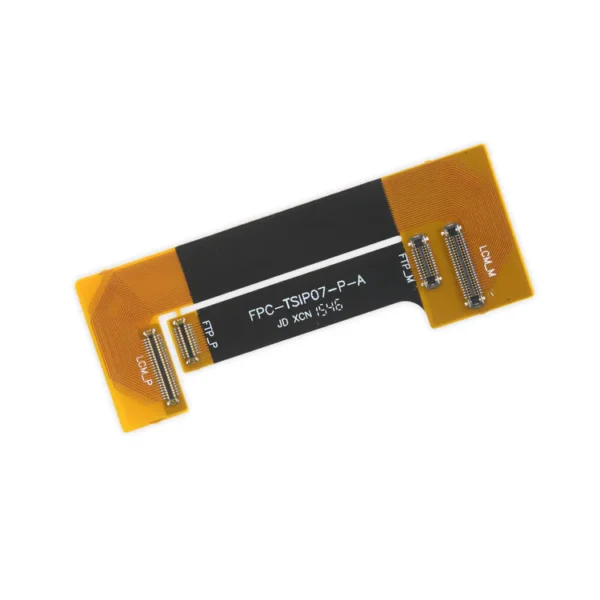 |  |  |  | ||||||||||||||||||||||||||||||
| SKU | iPhone 7 Plus Top Center Antenna Cable | iPhone 7/7 Plus Hold Switch Gasket | iPhone 7 Plus Test Cable for LCD Screen and Digitizer | iPhone 6s/6s Plus/7/7 Plus Backlight Filter | iPhone 7 Plus Dual Rear Camera Lens Cover | iPhone 7 Plus/8 Plus Home Button Bracket | ||||||||||||||||||||||||||||||
| Rating | ||||||||||||||||||||||||||||||||||||
| Price | $6.00 | $1.05 | $16.00 | $4.00 | $7.00 | $7.00 | ||||||||||||||||||||||||||||||
| Stock | ||||||||||||||||||||||||||||||||||||
| Availability | ||||||||||||||||||||||||||||||||||||
| Add to cart | ||||||||||||||||||||||||||||||||||||
| Description | Replace the antenna cable in the top center of the rear case in your iPhone 7 Plus smartphone. |
Replace a torn or missing gasket on the hold button assembly for an iPhone 7 or iPhone 7 Plus. This gasket fits around the body of the hold button assembly. |
| Replace a backlight filter on the logic board of the following iPhone models with their component labels:
| Replace the external lens covers for the dual rear-facing cameras in your iPhone 7 Plus. Note: Removal of this part requires breaking spot welds between the lens cover bezel and the internal camera bracket. This is a difficult task. Be sure to review all of the replacement guide before attempting this repair. | Replace a missing or bent metal bracket securing the home button assembly to the back of the display assembly and fix a misaligned home button. | ||||||||||||||||||||||||||||||
| Content | iPhone 7 Plus Top Center Antenna CableReplace the antenna cable in the top center of the rear case in your iPhone 7 Plus smartphone. | iPhone 7/7 Plus Hold Switch GasketReplace a torn or missing gasket on the hold button assembly for an iPhone 7 or iPhone 7 Plus. This gasket fits around the body of the hold button assembly. | iPhone 7 Plus Test Cable for LCD Screen and Digitizer
| iPhone 6s/6s Plus/7/7 Plus Backlight FilterReplace a backlight filter on the logic board of the following iPhone models with their component labels:
| iPhone 7 Plus Dual Rear Camera Lens CoverReplace the external lens covers for the dual rear-facing cameras in your iPhone 7 Plus. Note: Removal of this part requires breaking spot welds between the lens cover bezel and the internal camera bracket. This is a difficult task. Be sure to review all of the replacement guide before attempting this repair. | iPhone 7 Plus/8 Plus Home Button BracketReplace a missing or bent metal bracket securing the home button assembly to the back of the display assembly and fix a misaligned home button. | ||||||||||||||||||||||||||||||
| Weight | N/A | N/A | N/A | N/A | N/A | N/A | ||||||||||||||||||||||||||||||
| Dimensions | N/A | N/A | N/A | N/A | N/A | N/A | ||||||||||||||||||||||||||||||
| Additional information |
|
|
|
|
|
|


Reviews
There are no reviews yet.