Description
iPhone 7 Plus Top Left Antenna
Replace the antenna in the top left of the rear case in your iPhone 7 Plus.


$8.00
Replace the antenna in the top left of the rear case in your iPhone 7 Plus.
Replace the antenna in the top left of the rear case in your iPhone 7 Plus.
| iPhone 7 Plus Top Left Antenna remove | iPhone 7/7 Plus Hold Switch Gasket remove | iPhone 7/7 Plus Power and Volume Button Gaskets remove | iPhone 7 Plus Audio Control Cable and Brackets remove | iPhone 6s/6s Plus/7/7 Plus Bottom Screws remove | iPhone 7 Plus Dual Rear Camera Lens Cover remove | |||||||||||||||||||||||||||||||
|---|---|---|---|---|---|---|---|---|---|---|---|---|---|---|---|---|---|---|---|---|---|---|---|---|---|---|---|---|---|---|---|---|---|---|---|---|
| Name | iPhone 7 Plus Top Left Antenna remove | iPhone 7/7 Plus Hold Switch Gasket remove | iPhone 7/7 Plus Power and Volume Button Gaskets remove | iPhone 7 Plus Audio Control Cable and Brackets remove | iPhone 6s/6s Plus/7/7 Plus Bottom Screws remove | iPhone 7 Plus Dual Rear Camera Lens Cover remove | ||||||||||||||||||||||||||||||
| Image |  |  |  | 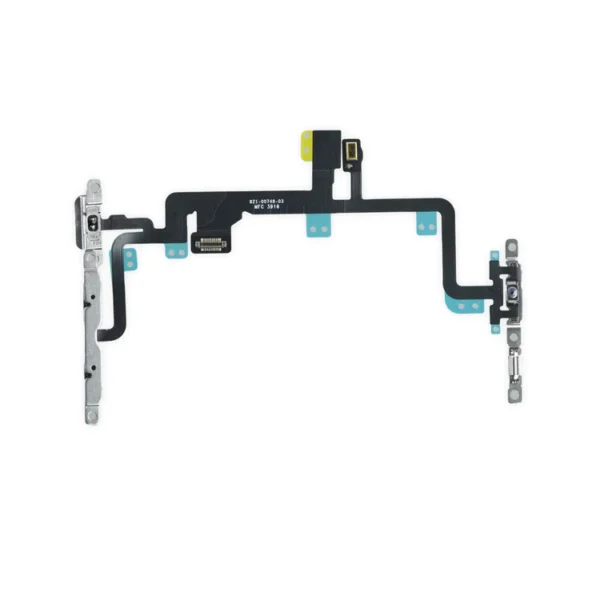 |  |  | ||||||||||||||||||||||||||||||
| SKU | iPhone 7 Plus Top Left Antenna | iPhone 7/7 Plus Hold Switch Gasket | iPhone 7/7 Plus Power and Volume Button Gaskets | iPhone 7 Plus Audio Control Cable and Brackets | iPhone 6s/6s Plus/7/7 Plus Bottom Screws | iPhone 7 Plus Dual Rear Camera Lens Cover | ||||||||||||||||||||||||||||||
| Rating | ||||||||||||||||||||||||||||||||||||
| Price | $8.00 | $1.05 | $9.00 | $21.00 | $8.00 | $7.00 | ||||||||||||||||||||||||||||||
| Stock | ||||||||||||||||||||||||||||||||||||
| Availability | ||||||||||||||||||||||||||||||||||||
| Add to cart | ||||||||||||||||||||||||||||||||||||
| Description | Replace the antenna in the top left of the rear case in your iPhone 7 Plus. |
Replace a torn or missing gasket on the hold button assembly for an iPhone 7 or iPhone 7 Plus. This gasket fits around the body of the hold button assembly. | Includes 6 gaskets.
Replace any or all of this set of six o-ring gaskets for the power or volume button face posts in an iPhone 7 or iPhone 7 Plus. Each of the volume button faces and the power button face have two posts that extend to the interior of the phone. Each post has a tiny gasket. That makes six gaskets for one phone or two for each button face. |
| All iPhone 6s, 6s Plus, 7, and 7 Plus phones have two proprietary 5-point pentalobe screws near the lightning connector to keep anyone other than an Apple technician from opening the phone.
Includes two replacement screws. | Replace the external lens covers for the dual rear-facing cameras in your iPhone 7 Plus. Note: Removal of this part requires breaking spot welds between the lens cover bezel and the internal camera bracket. This is a difficult task. Be sure to review all of the replacement guide before attempting this repair. | ||||||||||||||||||||||||||||||
| Content | iPhone 7 Plus Top Left AntennaReplace the antenna in the top left of the rear case in your iPhone 7 Plus. | iPhone 7/7 Plus Hold Switch GasketReplace a torn or missing gasket on the hold button assembly for an iPhone 7 or iPhone 7 Plus. This gasket fits around the body of the hold button assembly. | iPhone 7/7 Plus Power and Volume Button GasketsIncludes 6 gaskets.Replace any or all of this set of six o-ring gaskets for the power or volume button face posts in an iPhone 7 or iPhone 7 Plus. Each of the volume button faces and the power button face have two posts that extend to the interior of the phone. Each post has a tiny gasket. That makes six gaskets for one phone or two for each button face. | iPhone 7 Plus Audio Control Cable and Brackets
| iPhone 6s/6s Plus/7/7 Plus Bottom ScrewsAll iPhone 6s, 6s Plus, 7, and 7 Plus phones have two proprietary 5-point pentalobe screws near the lightning connector to keep anyone other than an Apple technician from opening the phone.Includes two replacement screws. | iPhone 7 Plus Dual Rear Camera Lens CoverReplace the external lens covers for the dual rear-facing cameras in your iPhone 7 Plus. Note: Removal of this part requires breaking spot welds between the lens cover bezel and the internal camera bracket. This is a difficult task. Be sure to review all of the replacement guide before attempting this repair. | ||||||||||||||||||||||||||||||
| Weight | N/A | N/A | N/A | N/A | N/A | N/A | ||||||||||||||||||||||||||||||
| Dimensions | N/A | N/A | N/A | N/A | N/A | N/A | ||||||||||||||||||||||||||||||
| Additional information |
|
|
|
|
|
|


Reviews
There are no reviews yet.