| Description | Replace a corroded or damaged lightning connector in your iPhone 7 Plus.
If your phone isn't charging, has connectivity problems, is not recognized when plugged into your computer via USB, or has trouble recording audio, this part could fix the problem.
Specifications:
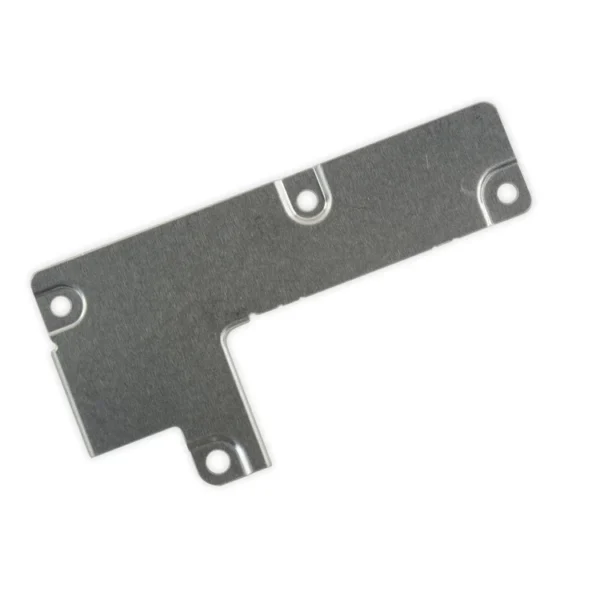
| Replace the antenna cable in the top center of the rear case in your iPhone 7 Plus smartphone. | This metal bracket secures the connectors from the LCD and digitizer as well as the battery cable to the logic board. | Replace a torn or missing Wi-Fi Diversity Antenna in your iPhone 7 Plus and fix unreliable connections to Wi-Fi signal.
This Wi-Fi Diversity and cable is adhered to the loudspeaker in the lower right corner inside the rear case.
Specifications:
| This replacement battery is what you need to bring that dead smartphone back to life.
- This battery is brand new! Each one has been tested to confirm that there are no cycles on the cell and that the capacity is 95% or higher.
Specifications:
| Watt Hours |
11.1 Wh |
| Voltage |
3.82 V |
| Milliamp Hours |
2900 mAh |
| Manufacturer |
Aftermarket |
| Compatible Part Numbers |
616-00249, 616-00250 |
| Replace a front-facing camera and sensor cable in your iPhone iPhone 7 Plus and fix problems with front-facing camera images, poor noise cancelling for phone calls, or malfunctioning screen brightness adjustment.
Specifications:
|
| Content | iPhone 7 Plus Lightning Connector Assembly
Replace a corroded or damaged lightning connector in your iPhone 7 Plus.
If your phone isn't charging, has connectivity problems, is not recognized when plugged into your computer via USB, or has trouble recording audio, this part could fix the problem.
Specifications:
| iPhone 7 Plus Top Center Antenna Cable
Replace the antenna cable in the top center of the rear case in your iPhone 7 Plus smartphone. | iPhone 7 Plus Front Panel Assembly Cable Bracket
This metal bracket secures the connectors from the LCD and digitizer as well as the battery cable to the logic board. | iPhone 7 Plus Wi-Fi Diversity Antenna
Replace a torn or missing Wi-Fi Diversity Antenna in your iPhone 7 Plus and fix unreliable connections to Wi-Fi signal.
This Wi-Fi Diversity and cable is adhered to the loudspeaker in the lower right corner inside the rear case.
Specifications:
| iPhone 7 Plus Battery
This replacement battery is what you need to bring that dead smartphone back to life.
- This battery is brand new! Each one has been tested to confirm that there are no cycles on the cell and that the capacity is 95% or higher.
Specifications:
| Watt Hours |
11.1 Wh |
| Voltage |
3.82 V |
| Milliamp Hours |
2900 mAh |
| Manufacturer |
Aftermarket |
| Compatible Part Numbers |
616-00249, 616-00250 |
| iPhone 7 Plus Front Camera and Sensor Cable
Replace a front-facing camera and sensor cable in your iPhone iPhone 7 Plus and fix problems with front-facing camera images, poor noise cancelling for phone calls, or malfunctioning screen brightness adjustment.
Specifications:
|




Reviews
There are no reviews yet.