Description
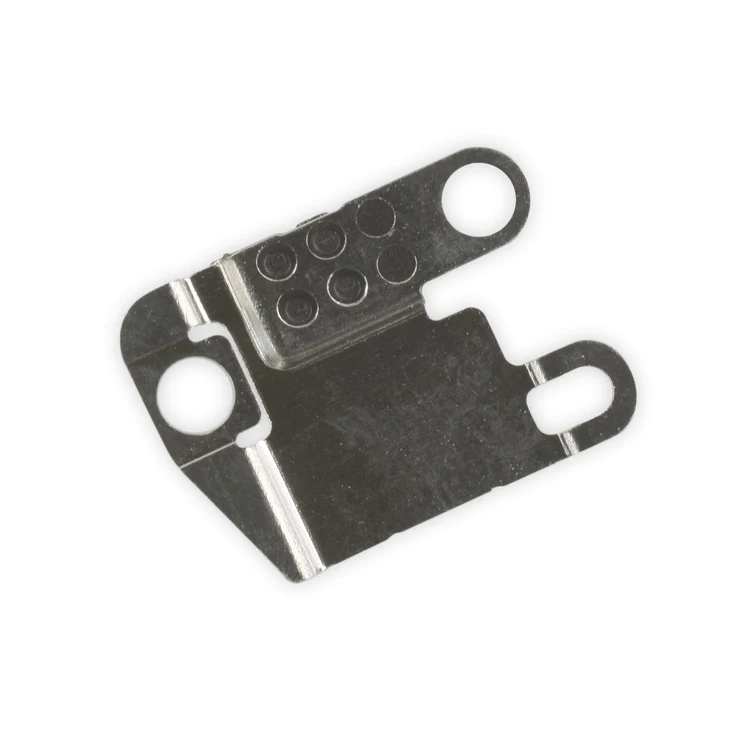
iPhone 7 Plus Flash Bracket
This metal bracket secures the camera flash to the rear case.

$6.00
This metal bracket secures the camera flash to the rear case.
This metal bracket secures the camera flash to the rear case.
| iPhone 7 Plus Flash Bracket remove | iPhone 6s/6s Plus/7/7 Plus Backlight Filter remove | iPhone 7/7 Plus Hold Switch Gasket remove | iPhone 7/7 Plus Test Cable for Home Button remove | iPhone 7/7 Plus Power and Volume Button Gaskets remove | iPhone 7 Plus Lightning Connector Assembly remove | |||||||||||||||||||||||||||||||
|---|---|---|---|---|---|---|---|---|---|---|---|---|---|---|---|---|---|---|---|---|---|---|---|---|---|---|---|---|---|---|---|---|---|---|---|---|
| Name | iPhone 7 Plus Flash Bracket remove | iPhone 6s/6s Plus/7/7 Plus Backlight Filter remove | iPhone 7/7 Plus Hold Switch Gasket remove | iPhone 7/7 Plus Test Cable for Home Button remove | iPhone 7/7 Plus Power and Volume Button Gaskets remove | iPhone 7 Plus Lightning Connector Assembly remove | ||||||||||||||||||||||||||||||
| Image | 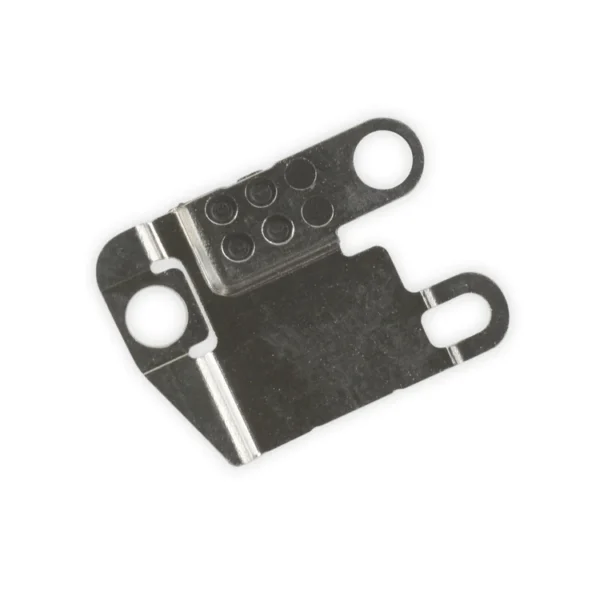 |  |  | 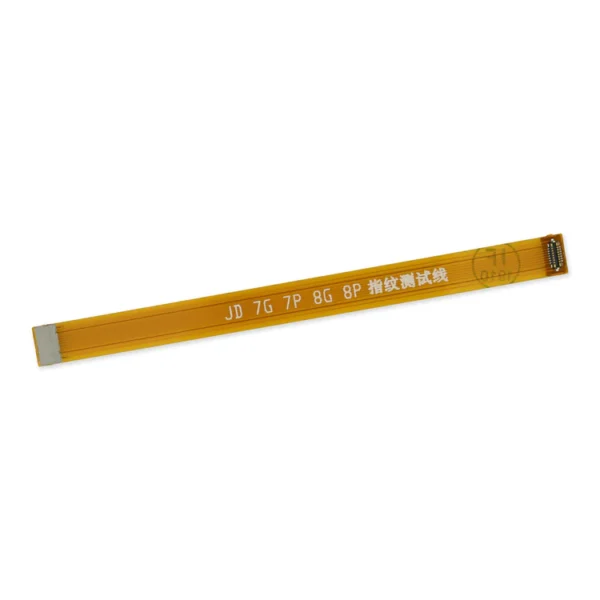 |  |  | ||||||||||||||||||||||||||||||
| SKU | iPhone 7 Plus Flash Bracket | iPhone 6s/6s Plus/7/7 Plus Backlight Filter | iPhone 7/7 Plus Hold Switch Gasket | iPhone 7/7 Plus Test Cable for Home Button | iPhone 7/7 Plus Power and Volume Button Gaskets | iPhone 7 Plus Lightning Connector Assembly | ||||||||||||||||||||||||||||||
| Rating | ||||||||||||||||||||||||||||||||||||
| Price | $6.00 | $4.00 | $1.05 | $11.00 | $9.00 | $27.00 | ||||||||||||||||||||||||||||||
| Stock | ||||||||||||||||||||||||||||||||||||
| Availability | ||||||||||||||||||||||||||||||||||||
| Add to cart | ||||||||||||||||||||||||||||||||||||
| Description |
This metal bracket secures the camera flash to the rear case. | Replace a backlight filter on the logic board of the following iPhone models with their component labels:
|
Replace a torn or missing gasket on the hold button assembly for an iPhone 7 or iPhone 7 Plus. This gasket fits around the body of the hold button assembly. |
| Includes 6 gaskets.
Replace any or all of this set of six o-ring gaskets for the power or volume button face posts in an iPhone 7 or iPhone 7 Plus. Each of the volume button faces and the power button face have two posts that extend to the interior of the phone. Each post has a tiny gasket. That makes six gaskets for one phone or two for each button face. | Replace a corroded or damaged lightning connector in your iPhone 7 Plus. If your phone isn't charging, has connectivity problems, is not recognized when plugged into your computer via USB, or has trouble recording audio, this part could fix the problem. Specifications:
| ||||||||||||||||||||||||||||||
| Content | iPhone 7 Plus Flash BracketThis metal bracket secures the camera flash to the rear case. | iPhone 6s/6s Plus/7/7 Plus Backlight FilterReplace a backlight filter on the logic board of the following iPhone models with their component labels:
| iPhone 7/7 Plus Hold Switch GasketReplace a torn or missing gasket on the hold button assembly for an iPhone 7 or iPhone 7 Plus. This gasket fits around the body of the hold button assembly. | iPhone 7/7 Plus Test Cable for Home Button
| iPhone 7/7 Plus Power and Volume Button GasketsIncludes 6 gaskets.Replace any or all of this set of six o-ring gaskets for the power or volume button face posts in an iPhone 7 or iPhone 7 Plus. Each of the volume button faces and the power button face have two posts that extend to the interior of the phone. Each post has a tiny gasket. That makes six gaskets for one phone or two for each button face. | iPhone 7 Plus Lightning Connector AssemblyReplace a corroded or damaged lightning connector in your iPhone 7 Plus. If your phone isn't charging, has connectivity problems, is not recognized when plugged into your computer via USB, or has trouble recording audio, this part could fix the problem. Specifications:
| ||||||||||||||||||||||||||||||
| Weight | N/A | N/A | N/A | N/A | N/A | N/A | ||||||||||||||||||||||||||||||
| Dimensions | N/A | N/A | N/A | N/A | N/A | N/A | ||||||||||||||||||||||||||||||
| Additional information |
|
|
|
|
|
|


Reviews
There are no reviews yet.