| SKU | iPhone 7/7 Plus Test Cable for Home Button | iPhone 6s/6s Plus/7/7 Plus Backlight Filter | iPhone 7/7 Plus Power and Volume Button Gaskets | iPhone 7 Wi-Fi Diversity Antenna | iPhone 7 Bare Logic Board | iPhone 7/7 Plus Power/Volume Button Retaining Clips |
| Description |
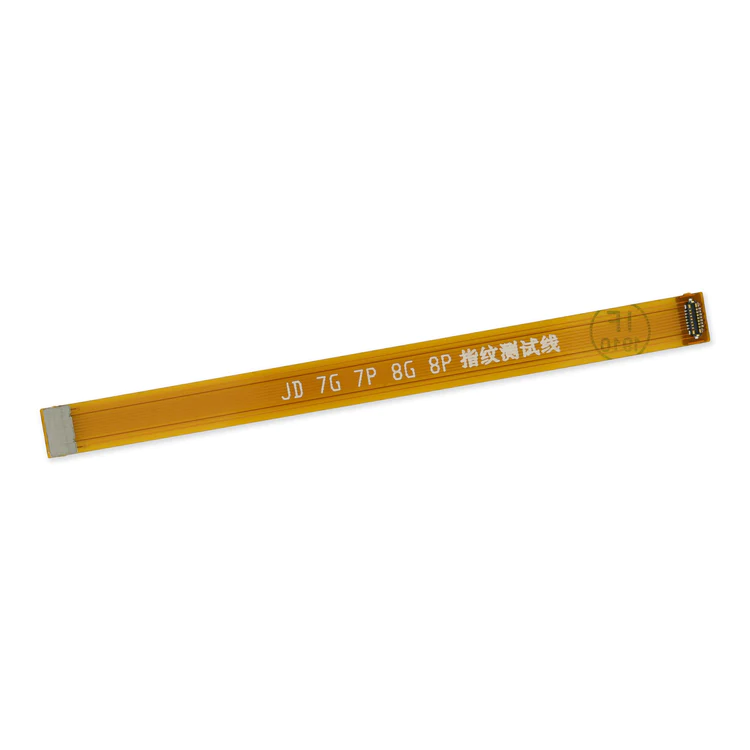
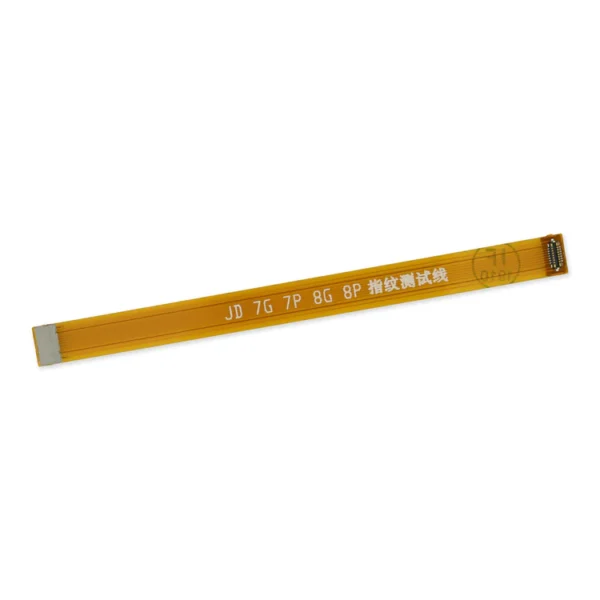
- This handy test cable makes it easy to check the function of a home button assembly without having to complete the installation.
- Indispensable to anyone who makes multiple iPhone 7 and 7 Plus repairs.
- With this cable installed in an iPhone 7 or 7 Plus body you can connect, test, and quickly swap multiple replacement home button assemblies without wearing out the delicate press fit connector on the logic board.
| Replace a backlight filter on the logic board of the following iPhone models with their component labels:
- iPhone 6s and iPhone 6s Plus
- FL4211
- FL4212
- FL4213
- FL4291
- FL4292
- FL4293
- iPhone 7 and iPhone 7 Plus
Are you learning to micro solder or starting your own board level repair business? This component is included in the Board Component Bundle. | Includes 6 gaskets.
Replace any or all of this set of six o-ring gaskets for the power or volume button face posts in an iPhone 7 or iPhone 7 Plus.
Each of the volume button faces and the power button face have two posts that extend to the interior of the phone. Each post has a tiny gasket. That makes six gaskets for one phone or two for each button face. | Replace a torn or missing Wi-Fi Diversity Antenna in your iPhone 7 and fix unreliable connections to Wi-Fi signal.
This Wi-Fi antenna and cable is adhered to the loudspeaker in the lower right corner inside the rear case.
Specifications:
| Replace a bare logic board (with no components) for the iPhone 7.
- This is only the board to which all the surface soldered components would be mounted.
- There are two revision numbers for this logic board. This board is 820-00188-A.
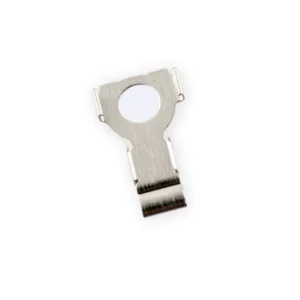
| Replace the internal clips that hold the external button covers in place.
These clips snap over the posts on the inside of the power and volume button covers, preventing the button covers from falling out of the iPhone's case.
Set of three clips. |
| Content | iPhone 7/7 Plus Test Cable for Home Button
- This handy test cable makes it easy to check the function of a home button assembly without having to complete the installation.
- Indispensable to anyone who makes multiple iPhone 7 and 7 Plus repairs.
- With this cable installed in an iPhone 7 or 7 Plus body you can connect, test, and quickly swap multiple replacement home button assemblies without wearing out the delicate press fit connector on the logic board.
| iPhone 6s/6s Plus/7/7 Plus Backlight Filter
Replace a backlight filter on the logic board of the following iPhone models with their component labels:
- iPhone 6s and iPhone 6s Plus
- FL4211
- FL4212
- FL4213
- FL4291
- FL4292
- FL4293
- iPhone 7 and iPhone 7 Plus
Are you learning to micro solder or starting your own board level repair business? This component is included in the Board Component Bundle. | iPhone 7/7 Plus Power and Volume Button Gaskets
Includes 6 gaskets.
Replace any or all of this set of six o-ring gaskets for the power or volume button face posts in an iPhone 7 or iPhone 7 Plus.
Each of the volume button faces and the power button face have two posts that extend to the interior of the phone. Each post has a tiny gasket. That makes six gaskets for one phone or two for each button face. | iPhone 7 Wi-Fi Diversity Antenna
Replace a torn or missing Wi-Fi Diversity Antenna in your iPhone 7 and fix unreliable connections to Wi-Fi signal.
This Wi-Fi antenna and cable is adhered to the loudspeaker in the lower right corner inside the rear case.
Specifications:
| iPhone 7 Bare Logic Board
Replace a bare logic board (with no components) for the iPhone 7.
- This is only the board to which all the surface soldered components would be mounted.
- There are two revision numbers for this logic board. This board is 820-00188-A.
| iPhone 7/7 Plus Power/Volume Button Retaining Clips
Replace the internal clips that hold the external button covers in place.
These clips snap over the posts on the inside of the power and volume button covers, preventing the button covers from falling out of the iPhone's case.
Set of three clips. |




Reviews
There are no reviews yet.