| SKU | iPhone 6 and 6 Plus Test Cable for Front Camera | iPhone 6 Antenna Flex Cable | iPhone 6 and 6 Plus Home Button Bracket | iPhone 6 LCD Shield Plate with Sticker and Home Cable | iPhone 6 Test Cable for Home Button and Link Cable | iPhone 6 LCD and Digitizer |
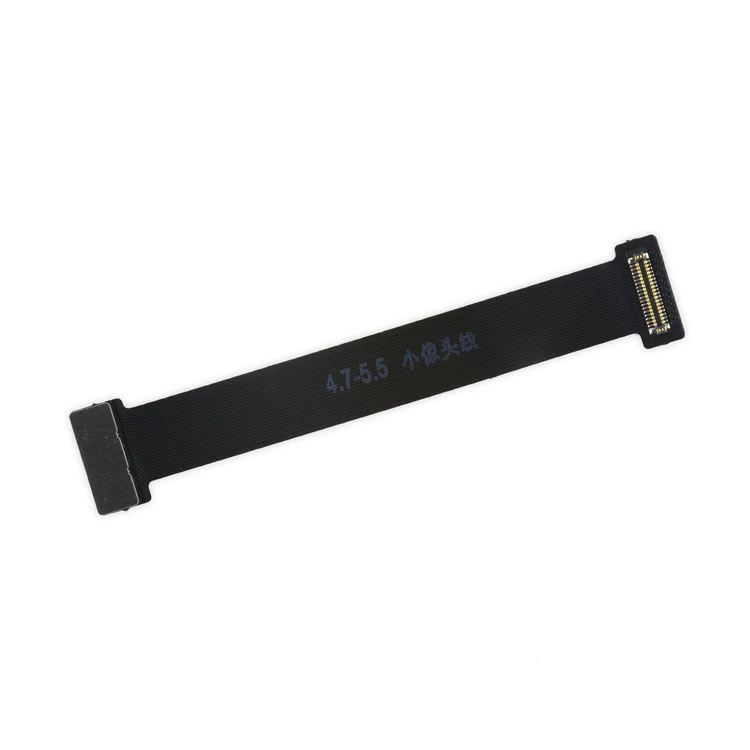
| Description | This handy test cable makes it easy to check the functions of a front camera and sensor cable assembly without having to complete the installation and is indispensable to anyone who makes multiple iPhone 6 and 6 Plus repairs. With this cable installed in an iPhone 6 or 6 Plus body you can connect, test, and quickly swap multiple replacement front camera cables without wearing out the delicate press fit connector on the logic board. |
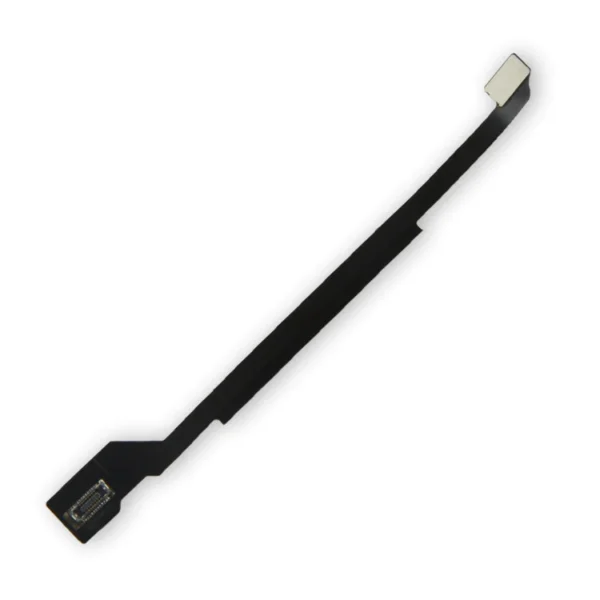
Replace a torn or damaged four connector Logic Board Antenna Flex Cable in your iPhone 6 and fix routing issues with Wi-Fi signal. |
- Replace a bent or missing metal bracket that secures the home button assembly to the inside of the display in your iPhone 6 or 6 Plus.
- Fix a loose connection causing an unresponsive home button.
| Replace a damaged LCD shield plate and home button link cable for your iPhone 6 with this part.
- The shield diffuses heat and protects the back of the LCD.
- This part fits between the LCD and the main body of the phone.
Specifications
| Part Number |
821-2481
Note: This is not the iPhone 6 LCD and Digitizer and does not include the LCD. |
| This iPhone 6 Test Cable for Home Button and Link Cable is indispensable to anyone who makes multiple iPhone 6 repairs!
- Make it easy to check the function of a home button assembly through the home button link cable connection to the logic board without having to complete the installation.
- This test cable fits between the home button connector on the logic board and the connector on the home button link cable.
Note: This cable will not fit between the home button assembly and the home button link cable. | Replace a scratched or cracked front glass panel or malfunctioning display. This part is preferred by repair professionals.
Our Premium screens are all hand tested here in the USA. We test, track, and guarantee every one of our Premium replacement iPhone screens to ensure you get the best part every time. We back that up with our Lifetime Guarantee as well.
Specifications:
| Resolution |
750 x 1334 |
| Display Panel |
Aftermarket LCD |
| Diagonal Size |
4.7" |
|
| Content | iPhone 6 and 6 Plus Test Cable for Front Camera
This handy test cable makes it easy to check the functions of a front camera and sensor cable assembly without having to complete the installation and is indispensable to anyone who makes multiple iPhone 6 and 6 Plus repairs. With this cable installed in an iPhone 6 or 6 Plus body you can connect, test, and quickly swap multiple replacement front camera cables without wearing out the delicate press fit connector on the logic board. | iPhone 6 Logic Board Antenna Flex Cable
Replace a torn or damaged four connector Logic Board Antenna Flex Cable in your iPhone 6 and fix routing issues with Wi-Fi signal. | iPhone 6 and 6 Plus Home Button Bracket
- Replace a bent or missing metal bracket that secures the home button assembly to the inside of the display in your iPhone 6 or 6 Plus.
- Fix a loose connection causing an unresponsive home button.
| iPhone 6 LCD Shield Plate with Sticker and Home Cable
Replace a damaged LCD shield plate and home button link cable for your iPhone 6 with this part.
- The shield diffuses heat and protects the back of the LCD.
- This part fits between the LCD and the main body of the phone.
Specifications
| Part Number |
821-2481
Note: This is not the iPhone 6 LCD and Digitizer and does not include the LCD. |
| iPhone 6 Test Cable for Home Button and Link Cable
This iPhone 6 Test Cable for Home Button and Link Cable is indispensable to anyone who makes multiple iPhone 6 repairs!
- Make it easy to check the function of a home button assembly through the home button link cable connection to the logic board without having to complete the installation.
- This test cable fits between the home button connector on the logic board and the connector on the home button link cable.
Note: This cable will not fit between the home button assembly and the home button link cable. | iPhone 6 LCD and Digitizer
Replace a scratched or cracked front glass panel or malfunctioning display. This part is preferred by repair professionals.
Our Premium screens are all hand tested here in the USA. We test, track, and guarantee every one of our Premium replacement iPhone screens to ensure you get the best part every time. We back that up with our Lifetime Guarantee as well.
Note:
- The Touch ID function will only work with your phone's original home button assembly.
- This replacement part does not include the home button. You will need to transfer the button assembly from your old display to retain Touch ID.
- The front camera, earpiece speaker, and the LCD shield plate are not included. You will need to transfer those parts from your original screen assembly.
Specifications:
| Resolution |
750 x 1334 |
| Display Panel |
Aftermarket LCD |
| Diagonal Size |
4.7" |
|






Reviews
There are no reviews yet.