Description
iPhone 7 Top Left Antenna
Replace a torn or missing antenna contact assembly in the top left of the rear case of your iPhone 7 and fix cellular connectivity problems.


$8.00
Replace a torn or missing antenna contact assembly in the top left of the rear case of your iPhone 7 and fix cellular connectivity problems.
Replace a torn or missing antenna contact assembly in the top left of the rear case of your iPhone 7 and fix cellular connectivity problems.
| iPhone 7 Top Left Antenna remove | iPhone 7/7 Plus Test Cable for Home Button remove | iPhone 7/7 Plus Power/Volume Button Retaining Clips remove | iPhone 6s/6s+/7 Backlight Driver LM3539 remove | iPhone 7 Lightning Connector Assembly remove | iPhone 7 Front Panel Assembly Cable Bracket remove | |||||||||||||||||||||||||||||
|---|---|---|---|---|---|---|---|---|---|---|---|---|---|---|---|---|---|---|---|---|---|---|---|---|---|---|---|---|---|---|---|---|---|---|
| Name | iPhone 7 Top Left Antenna remove | iPhone 7/7 Plus Test Cable for Home Button remove | iPhone 7/7 Plus Power/Volume Button Retaining Clips remove | iPhone 6s/6s+/7 Backlight Driver LM3539 remove | iPhone 7 Lightning Connector Assembly remove | iPhone 7 Front Panel Assembly Cable Bracket remove | ||||||||||||||||||||||||||||
| Image |  | 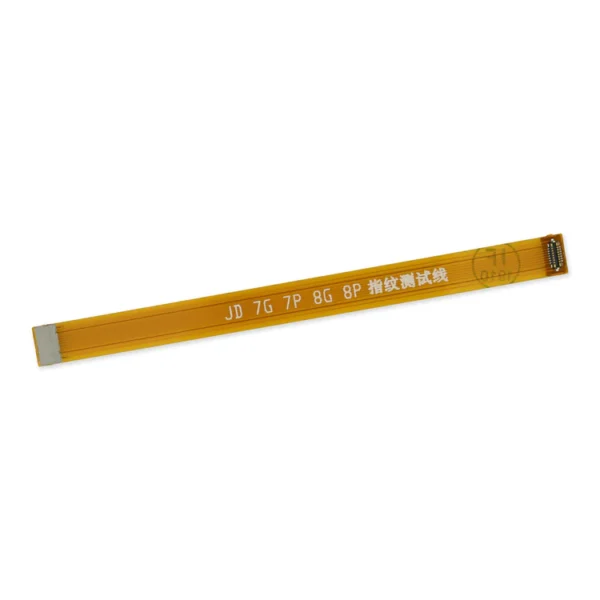 |  |  |  |  | ||||||||||||||||||||||||||||
| SKU | iPhone 7 Top Left Antenna | iPhone 7/7 Plus Test Cable for Home Button | iPhone 7/7 Plus Power/Volume Button Retaining Clips | iPhone 6s/6s+/7 Backlight Driver LM3539 | iPhone 7 Lightning Connector Assembly | iPhone 7 Front Panel Assembly Cable Bracket | ||||||||||||||||||||||||||||
| Rating | ||||||||||||||||||||||||||||||||||
| Price | $8.00 | $11.00 | $4.00 | $6.00 | $27.00 | $6.00 | ||||||||||||||||||||||||||||
| Stock | ||||||||||||||||||||||||||||||||||
| Availability | ||||||||||||||||||||||||||||||||||
| Add to cart | ||||||||||||||||||||||||||||||||||
| Description |
Replace a torn or missing antenna contact assembly in the top left of the rear case of your iPhone 7 and fix cellular connectivity problems. |
| Replace the internal clips that hold the external button covers in place. These clips snap over the posts on the inside of the power and volume button covers, preventing the button covers from falling out of the iPhone's case. Set of three clips. | Replace a LM3539 backlight driver on the logic board of the following iPhone models with their component labels:
| Replace a corroded or damaged lightning connector assembly in your iPhone 7.
If your phone isn't charging, has connectivity problems, is not recognized when plugged into your computer via USB, or has trouble recording audio, this part could fix the problem. Specifications:
|
This metal bracket secures the connectors from the LCD and digitizer as well as the battery cable to the logic board. | ||||||||||||||||||||||||||||
| Content | iPhone 7 Top Left AntennaReplace a torn or missing antenna contact assembly in the top left of the rear case of your iPhone 7 and fix cellular connectivity problems. | iPhone 7/7 Plus Test Cable for Home Button
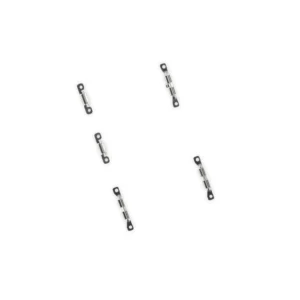
| iPhone 7/7 Plus Power/Volume Button Retaining ClipsReplace the internal clips that hold the external button covers in place. These clips snap over the posts on the inside of the power and volume button covers, preventing the button covers from falling out of the iPhone's case. Set of three clips. | iPhone 6s/6s+/7 Backlight Driver LM3539Replace a LM3539 backlight driver on the logic board of the following iPhone models with their component labels:
| iPhone 7 Lightning Connector AssemblyReplace a corroded or damaged lightning connector assembly in your iPhone 7.If your phone isn't charging, has connectivity problems, is not recognized when plugged into your computer via USB, or has trouble recording audio, this part could fix the problem. Specifications:
| iPhone 7 Front Panel Assembly Cable BracketThis metal bracket secures the connectors from the LCD and digitizer as well as the battery cable to the logic board. | ||||||||||||||||||||||||||||
| Weight | N/A | N/A | N/A | N/A | N/A | N/A | ||||||||||||||||||||||||||||
| Dimensions | N/A | N/A | N/A | N/A | N/A | N/A | ||||||||||||||||||||||||||||
| Additional information |
|
|
|
|
|
|

Reviews
There are no reviews yet.