| Description |
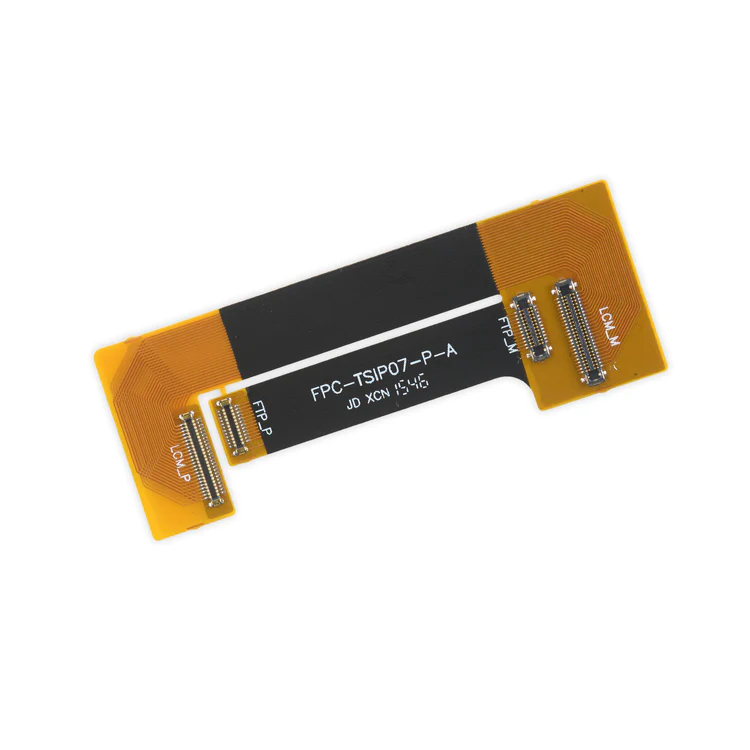
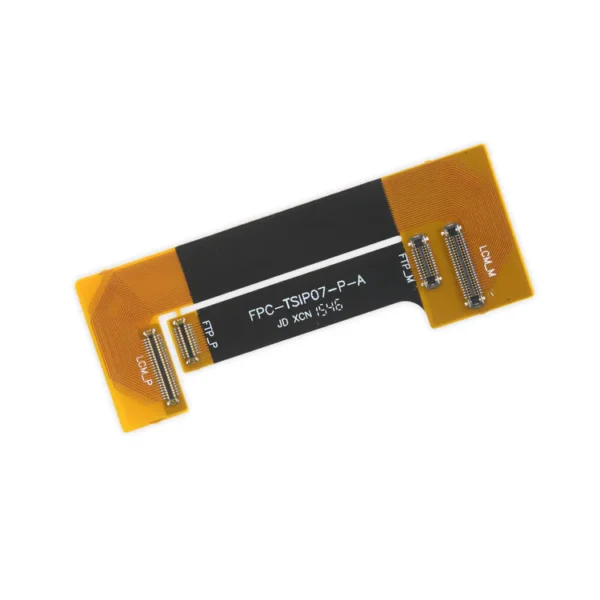
- This handy test cable makes it easy to check the functions of an iPhone 7 Plus LCD Screen and Digitizer without having to complete the installation and close up the iPhone's case.
- Indispensable to anyone who makes multiple iPhone 7 Plus repairs.
- With this cable installed in an iPhone 7 Plus body you can connect, test, and quickly swap multiple replacement LCDs and digitizers without wearing out the delicate press fit connectors on the logic board.
Note: This cable only tests the functions of the LCD and digitizer. It does not test the home button, front camera, or earpiece speaker. | All iPhone 6s, 6s Plus, 7, and 7 Plus phones have two proprietary 5-point pentalobe screws near the lightning connector to keep anyone other than an Apple technician from opening the phone.
Includes two replacement screws. |
- Replace the set of six retaining clips in the edges of the rear case.
- Set includes two small clips and four large clips.
- These clips help hold the front panel assembly in place.
| Includes 6 gaskets.
Replace any or all of this set of six o-ring gaskets for the power or volume button face posts in an iPhone 7 or iPhone 7 Plus.
Each of the volume button faces and the power button face have two posts that extend to the interior of the phone. Each post has a tiny gasket. That makes six gaskets for one phone or two for each button face. |
- This cable connects the volume buttons, vibrate/ring switch, and power button to the logic board.
- The metal button brackets are included.
Specifications:
| This Dual Rear Camera includes both 12 megapixel rear-facing cameras, one wide-angle camera with Optical Image Stabilization and one telephoto camera with optical zoom.
If the camera assembly has sensor issues, problems focusing, or is malfunctioning, you'll want to replace this part.
Note: If your photos look like you have a scratched lens, this part will not solve the issue. The lens opening in your rear case may be scratched. |
| Content | iPhone 7 Plus Test Cable for LCD Screen and Digitizer
- This handy test cable makes it easy to check the functions of an iPhone 7 Plus LCD Screen and Digitizer without having to complete the installation and close up the iPhone's case.
- Indispensable to anyone who makes multiple iPhone 7 Plus repairs.
- With this cable installed in an iPhone 7 Plus body you can connect, test, and quickly swap multiple replacement LCDs and digitizers without wearing out the delicate press fit connectors on the logic board.
Note: This cable only tests the functions of the LCD and digitizer. It does not test the home button, front camera, or earpiece speaker. | iPhone 6s/6s Plus/7/7 Plus Bottom Screws
All iPhone 6s, 6s Plus, 7, and 7 Plus phones have two proprietary 5-point pentalobe screws near the lightning connector to keep anyone other than an Apple technician from opening the phone.
Includes two replacement screws. | iPhone 7 Plus Front Panel Clips
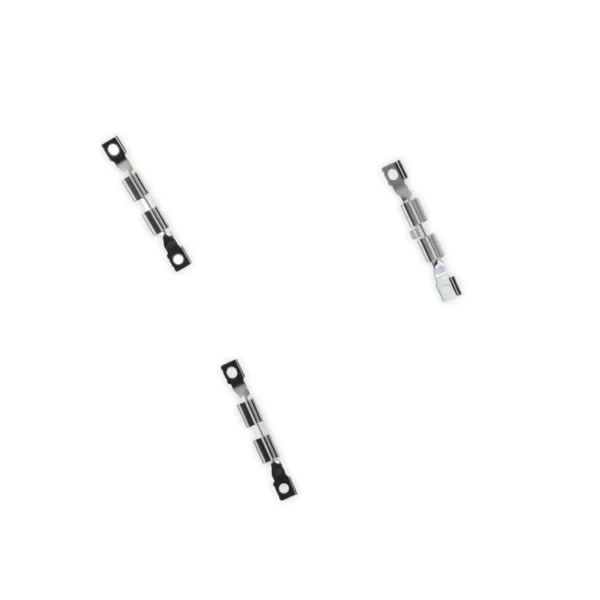
- Replace the set of six retaining clips in the edges of the rear case.
- Set includes two small clips and four large clips.
- These clips help hold the front panel assembly in place.
| iPhone 7/7 Plus Power and Volume Button Gaskets
Includes 6 gaskets.
Replace any or all of this set of six o-ring gaskets for the power or volume button face posts in an iPhone 7 or iPhone 7 Plus.
Each of the volume button faces and the power button face have two posts that extend to the interior of the phone. Each post has a tiny gasket. That makes six gaskets for one phone or two for each button face. | iPhone 7 Plus Audio Control Cable and Brackets
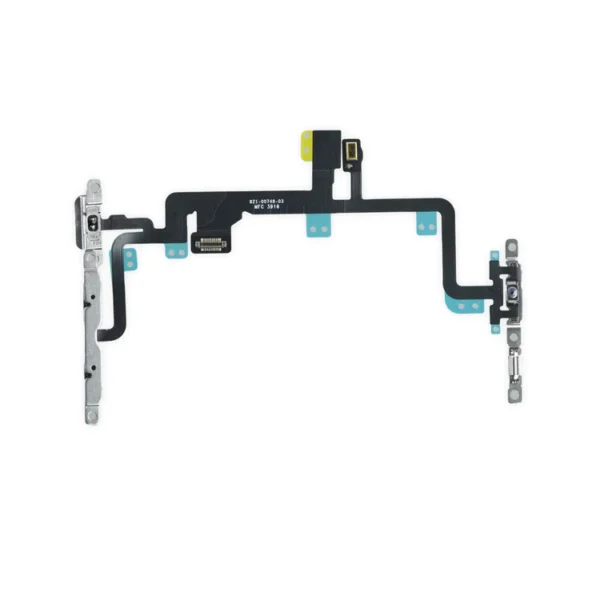
- This cable connects the volume buttons, vibrate/ring switch, and power button to the logic board.
- The metal button brackets are included.
Specifications:
| iPhone 7 Plus Dual Rear Camera
This Dual Rear Camera includes both 12 megapixel rear-facing cameras, one wide-angle camera with Optical Image Stabilization and one telephoto camera with optical zoom.
If the camera assembly has sensor issues, problems focusing, or is malfunctioning, you'll want to replace this part.
Note: If your photos look like you have a scratched lens, this part will not solve the issue. The lens opening in your rear case may be scratched. |





Reviews
There are no reviews yet.