| SKU | iPhone 7 Plus Lightning Connector Assembly | iPhone 6s/6s Plus/7/7 Plus Bottom Screws | iPhone 7 Plus Dual Rear Camera Lens Cover | iPhone 7 Plus Front Panel Clips | iPhone 7 Plus Top Center Antenna Cable | iPhone 7/7 Plus Test Cable for Home Button |
| Description | Replace a corroded or damaged lightning connector in your iPhone 7 Plus.
If your phone isn't charging, has connectivity problems, is not recognized when plugged into your computer via USB, or has trouble recording audio, this part could fix the problem.
Specifications:
| All iPhone 6s, 6s Plus, 7, and 7 Plus phones have two proprietary 5-point pentalobe screws near the lightning connector to keep anyone other than an Apple technician from opening the phone.
Includes two replacement screws. | Replace the external lens covers for the dual rear-facing cameras in your iPhone 7 Plus.
Note: Removal of this part requires breaking spot welds between the lens cover bezel and the internal camera bracket. This is a difficult task. Be sure to review all of the replacement guide before attempting this repair. |
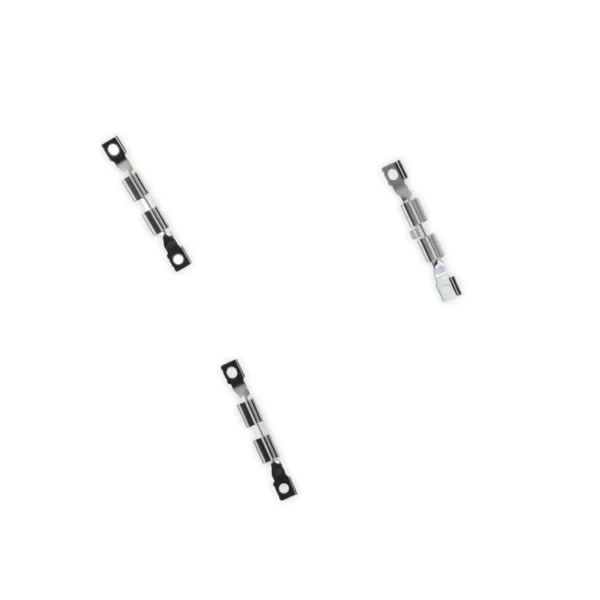
- Replace the set of six retaining clips in the edges of the rear case.
- Set includes two small clips and four large clips.
- These clips help hold the front panel assembly in place.
| Replace the antenna cable in the top center of the rear case in your iPhone 7 Plus smartphone. |
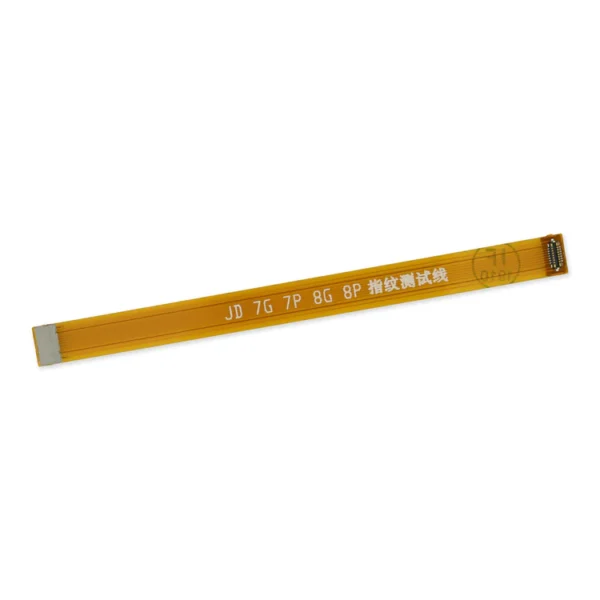
- This handy test cable makes it easy to check the function of a home button assembly without having to complete the installation.
- Indispensable to anyone who makes multiple iPhone 7 and 7 Plus repairs.
- With this cable installed in an iPhone 7 or 7 Plus body you can connect, test, and quickly swap multiple replacement home button assemblies without wearing out the delicate press fit connector on the logic board.
|
| Content | iPhone 7 Plus Lightning Connector Assembly
Replace a corroded or damaged lightning connector in your iPhone 7 Plus.
If your phone isn't charging, has connectivity problems, is not recognized when plugged into your computer via USB, or has trouble recording audio, this part could fix the problem.
Specifications:
| iPhone 6s/6s Plus/7/7 Plus Bottom Screws
All iPhone 6s, 6s Plus, 7, and 7 Plus phones have two proprietary 5-point pentalobe screws near the lightning connector to keep anyone other than an Apple technician from opening the phone.
Includes two replacement screws. | iPhone 7 Plus Dual Rear Camera Lens Cover
Replace the external lens covers for the dual rear-facing cameras in your iPhone 7 Plus.
Note: Removal of this part requires breaking spot welds between the lens cover bezel and the internal camera bracket. This is a difficult task. Be sure to review all of the replacement guide before attempting this repair. | iPhone 7 Plus Front Panel Clips
- Replace the set of six retaining clips in the edges of the rear case.
- Set includes two small clips and four large clips.
- These clips help hold the front panel assembly in place.
| iPhone 7 Plus Top Center Antenna Cable
Replace the antenna cable in the top center of the rear case in your iPhone 7 Plus smartphone. | iPhone 7/7 Plus Test Cable for Home Button
- This handy test cable makes it easy to check the function of a home button assembly without having to complete the installation.
- Indispensable to anyone who makes multiple iPhone 7 and 7 Plus repairs.
- With this cable installed in an iPhone 7 or 7 Plus body you can connect, test, and quickly swap multiple replacement home button assemblies without wearing out the delicate press fit connector on the logic board.
|





Reviews
There are no reviews yet.