| SKU | iPhone 7 Plus Lightning Connector Assembly | iPhone 7/7 Plus Test Cable for Rear Camera | iPhone 6s/6s Plus/7/7 Plus Backlight Filter | iPhone 7/7 Plus Test Cable for Front Camera and Sensors | iPhone 7 Plus Test Cable for LCD Screen and Digitizer | iPhone 7 Plus Top Left Antenna |
| Description | Replace a corroded or damaged lightning connector in your iPhone 7 Plus.
If your phone isn't charging, has connectivity problems, is not recognized when plugged into your computer via USB, or has trouble recording audio, this part could fix the problem.
Specifications:
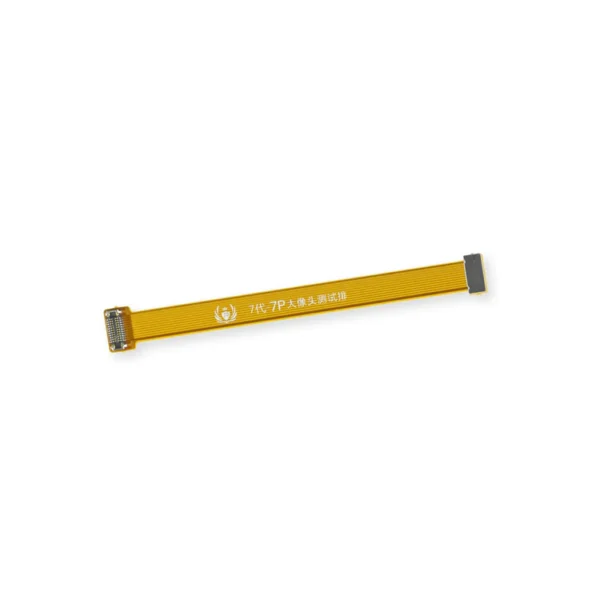
| This handy test cable makes it easy to check the functions of a rear-facing camera in an iPhone 7 or iPhone 7 Plus without having to complete the installation and close up the iPhone's case.
- Indispensable to anyone who makes multiple iPhone 7 or iPhone 7 Plus repairs.
- With this cable installed you can connect, test, and quickly swap multiple replacement rear-facing cameras without wearing out the delicate press fit connectors on the logic board.
Note: This cable fits the connectors for the main and secondary rear-facing cameras in a iPhone 7 Plus, but one cable can only test one camera at a time. | Replace a backlight filter on the logic board of the following iPhone models with their component labels:
- iPhone 6s and iPhone 6s Plus
- FL4211
- FL4212
- FL4213
- FL4291
- FL4292
- FL4293
- iPhone 7 and iPhone 7 Plus
Are you learning to micro solder or starting your own board level repair business? This component is included in the Board Component Bundle. |
- This handy test cable makes it easy to check the functions of an iPhone 7 or iPhone 7 Plus front-facing camera and sensor cable assembly without having to complete the installation and close up the iPhone's case.
- Indispensable to anyone who makes multiple iPhone 7 and iPhone 7 Plus repairs.
- With this cable installed you can connect, test, and quickly swap multiple replacement front-facing camera and sensor cables without wearing out the delicate press fit connectors on the logic board.
|
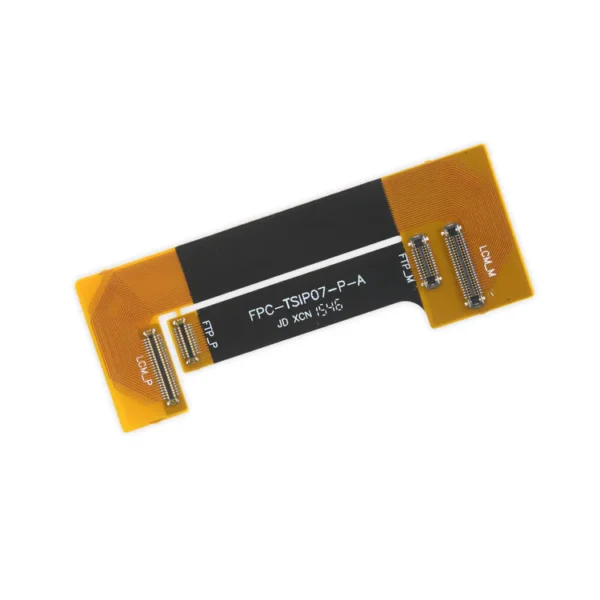
- This handy test cable makes it easy to check the functions of an iPhone 7 Plus LCD Screen and Digitizer without having to complete the installation and close up the iPhone's case.
- Indispensable to anyone who makes multiple iPhone 7 Plus repairs.
- With this cable installed in an iPhone 7 Plus body you can connect, test, and quickly swap multiple replacement LCDs and digitizers without wearing out the delicate press fit connectors on the logic board.
Note: This cable only tests the functions of the LCD and digitizer. It does not test the home button, front camera, or earpiece speaker. | Replace the antenna in the top left of the rear case in your iPhone 7 Plus. |
| Content | iPhone 7 Plus Lightning Connector Assembly
Replace a corroded or damaged lightning connector in your iPhone 7 Plus.
If your phone isn't charging, has connectivity problems, is not recognized when plugged into your computer via USB, or has trouble recording audio, this part could fix the problem.
Specifications:
| iPhone 7/7 Plus Test Cable for Rear Camera
This handy test cable makes it easy to check the functions of a rear-facing camera in an iPhone 7 or iPhone 7 Plus without having to complete the installation and close up the iPhone's case.
- Indispensable to anyone who makes multiple iPhone 7 or iPhone 7 Plus repairs.
- With this cable installed you can connect, test, and quickly swap multiple replacement rear-facing cameras without wearing out the delicate press fit connectors on the logic board.
Note: This cable fits the connectors for the main and secondary rear-facing cameras in a iPhone 7 Plus, but one cable can only test one camera at a time. | iPhone 6s/6s Plus/7/7 Plus Backlight Filter
Replace a backlight filter on the logic board of the following iPhone models with their component labels:
- iPhone 6s and iPhone 6s Plus
- FL4211
- FL4212
- FL4213
- FL4291
- FL4292
- FL4293
- iPhone 7 and iPhone 7 Plus
Are you learning to micro solder or starting your own board level repair business? This component is included in the Board Component Bundle. | iPhone 7/7 Plus Test Cable for Front Camera and Sensors
- This handy test cable makes it easy to check the functions of an iPhone 7 or iPhone 7 Plus front-facing camera and sensor cable assembly without having to complete the installation and close up the iPhone's case.
- Indispensable to anyone who makes multiple iPhone 7 and iPhone 7 Plus repairs.
- With this cable installed you can connect, test, and quickly swap multiple replacement front-facing camera and sensor cables without wearing out the delicate press fit connectors on the logic board.
| iPhone 7 Plus Test Cable for LCD Screen and Digitizer
- This handy test cable makes it easy to check the functions of an iPhone 7 Plus LCD Screen and Digitizer without having to complete the installation and close up the iPhone's case.
- Indispensable to anyone who makes multiple iPhone 7 Plus repairs.
- With this cable installed in an iPhone 7 Plus body you can connect, test, and quickly swap multiple replacement LCDs and digitizers without wearing out the delicate press fit connectors on the logic board.
Note: This cable only tests the functions of the LCD and digitizer. It does not test the home button, front camera, or earpiece speaker. | iPhone 7 Plus Top Left Antenna
Replace the antenna in the top left of the rear case in your iPhone 7 Plus. |






Reviews
There are no reviews yet.