| Description | This Dual Rear Camera includes both 12 megapixel rear-facing cameras, one wide-angle camera with Optical Image Stabilization and one telephoto camera with optical zoom.
If the camera assembly has sensor issues, problems focusing, or is malfunctioning, you'll want to replace this part.
Note: If your photos look like you have a scratched lens, this part will not solve the issue. The lens opening in your rear case may be scratched. |
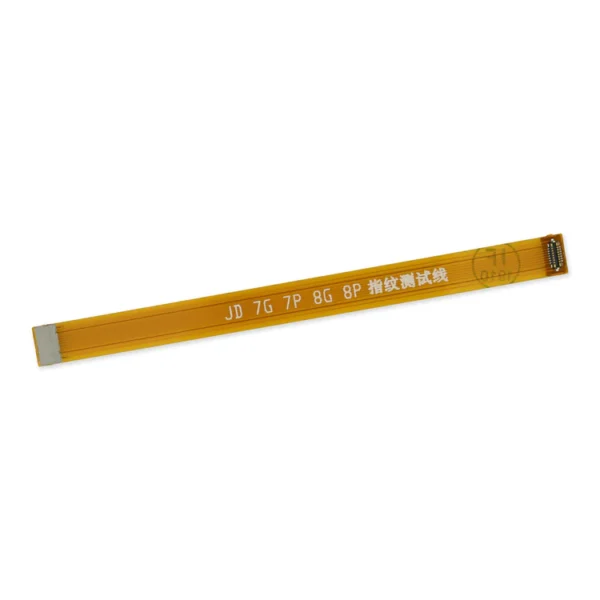
- This handy test cable makes it easy to check the function of a home button assembly without having to complete the installation.
- Indispensable to anyone who makes multiple iPhone 7 and 7 Plus repairs.
- With this cable installed in an iPhone 7 or 7 Plus body you can connect, test, and quickly swap multiple replacement home button assemblies without wearing out the delicate press fit connector on the logic board.
| Replace the external lens covers for the dual rear-facing cameras in your iPhone 7 Plus.
Note: Removal of this part requires breaking spot welds between the lens cover bezel and the internal camera bracket. This is a difficult task. Be sure to review all of the replacement guide before attempting this repair. | Replace a missing or bent metal bracket securing the home button assembly to the back of the display assembly and fix a misaligned home button. | Replace a front-facing camera and sensor cable in your iPhone iPhone 7 Plus and fix problems with front-facing camera images, poor noise cancelling for phone calls, or malfunctioning screen brightness adjustment.
Specifications:
|
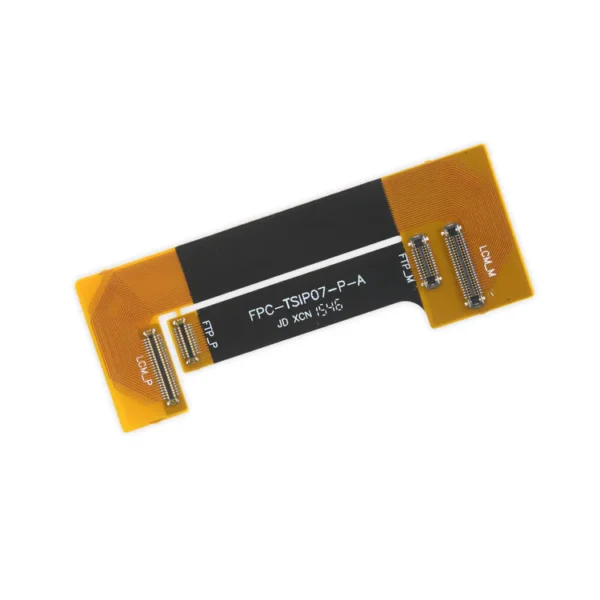
- This handy test cable makes it easy to check the functions of an iPhone 7 Plus LCD Screen and Digitizer without having to complete the installation and close up the iPhone's case.
- Indispensable to anyone who makes multiple iPhone 7 Plus repairs.
- With this cable installed in an iPhone 7 Plus body you can connect, test, and quickly swap multiple replacement LCDs and digitizers without wearing out the delicate press fit connectors on the logic board.
Note: This cable only tests the functions of the LCD and digitizer. It does not test the home button, front camera, or earpiece speaker. |
| Content | iPhone 7 Plus Dual Rear Camera
This Dual Rear Camera includes both 12 megapixel rear-facing cameras, one wide-angle camera with Optical Image Stabilization and one telephoto camera with optical zoom.
If the camera assembly has sensor issues, problems focusing, or is malfunctioning, you'll want to replace this part.
Note: If your photos look like you have a scratched lens, this part will not solve the issue. The lens opening in your rear case may be scratched. | iPhone 7/7 Plus Test Cable for Home Button
- This handy test cable makes it easy to check the function of a home button assembly without having to complete the installation.
- Indispensable to anyone who makes multiple iPhone 7 and 7 Plus repairs.
- With this cable installed in an iPhone 7 or 7 Plus body you can connect, test, and quickly swap multiple replacement home button assemblies without wearing out the delicate press fit connector on the logic board.
| iPhone 7 Plus Dual Rear Camera Lens Cover
Replace the external lens covers for the dual rear-facing cameras in your iPhone 7 Plus.
Note: Removal of this part requires breaking spot welds between the lens cover bezel and the internal camera bracket. This is a difficult task. Be sure to review all of the replacement guide before attempting this repair. | iPhone 7 Plus/8 Plus Home Button Bracket
Replace a missing or bent metal bracket securing the home button assembly to the back of the display assembly and fix a misaligned home button. | iPhone 7 Plus/8 Plus Home Button Bracket
Replace a missing or bent metal bracket securing the home button assembly to the back of the display assembly and fix a misaligned home button. | iPhone 7 Plus Test Cable for LCD Screen and Digitizer
- This handy test cable makes it easy to check the functions of an iPhone 7 Plus LCD Screen and Digitizer without having to complete the installation and close up the iPhone's case.
- Indispensable to anyone who makes multiple iPhone 7 Plus repairs.
- With this cable installed in an iPhone 7 Plus body you can connect, test, and quickly swap multiple replacement LCDs and digitizers without wearing out the delicate press fit connectors on the logic board.
Note: This cable only tests the functions of the LCD and digitizer. It does not test the home button, front camera, or earpiece speaker. |






Reviews
There are no reviews yet.