| Description |
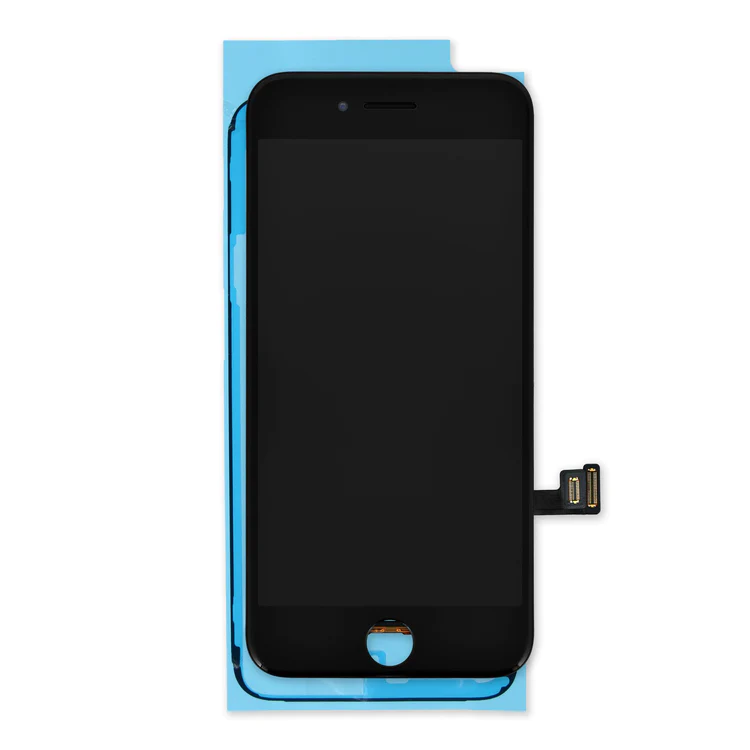
- Replace a scratched or cracked front panel glass digitizer screen or a malfunctioning display with this aftermarket LCD screen. This part is compatible with an iPhone 13 mini.
- New parts tested to strict quality standards.
- 100% factory tested for display performance, including luminance and color balance.
- A 5.4 inch In-Cell LCD multitouch display offering an economical option for those trying to save while still wanting a quality product. This screen will be a little darker, the resolution a little lower, and will not have the distinct color of an OLED display.
- A new screen and digitizer assembly will renew the appearance of your front panel, restore touch function, and eliminate the dead pixels or flickering on an aging display.
Note:
- True Tone functionality is disabled after a screen replacement, even when using an original Apple screen.
- The upper sensor assembly is not included.
- The upper sensor cable assembly on the back of the display is paired to your iPhone's logic board and must be transferred from your old display to your new one. The sensor assembly includes the flood illuminator, a part of the Face ID security feature. If it is damaged or replaced, Face ID will cease to function.
Specifications:
Display Panel
Aftermarket In-Cell LCD | Replace a bent or missing metal plate between the LCD and the rest of the internal parts in the iPhone 5s or 1st generation iPhone SE.
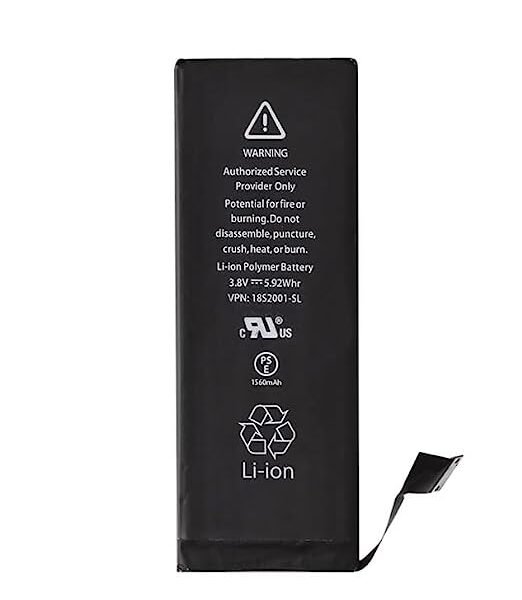
This shield plate disburses heat and protects the back of the LCD. | Replace a bent or missing metal bracket securing the front panel assembly cable connectors to the logic board in an iPhone 5s or 1st generation iPhone SE. | This iPhone 5s replacement battery is what you need to bring your dead iPhone 5s back to life!
- Tested to confirm there are no cycles on the cell and the capacity is 95% or higher.
- 100% factory tested with a customer return rate of only 1%.
- Assembled using high quality chipset from Texas Instruments.
- Adhesive is preinstalled to improve the quality of your repair.
|
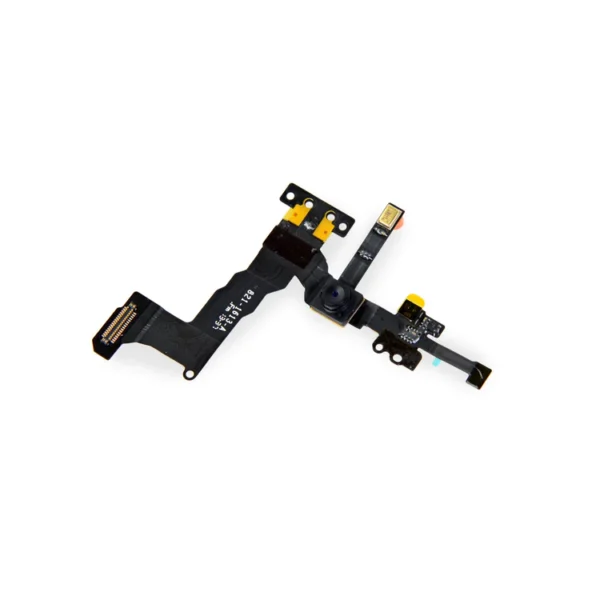
- Replace a front-facing camera and sensor cable in your iPhone 5s or 1st generation iPhone SE and fix problems with front-facing camera images,
- poor noise cancelling for phone calls,
- or malfunctioning screen brightness adjustment.
| This handy test cable makes it easy to check the functions of a lightning connector assembly without having to complete the installation.
- Indispensable to anyone who makes multiple iPhone 5s or 5c repairs.
- With this cable installed in the phone's body you can connect, test, and quickly swap multiple replacement lightning connector assemblies without wearing out the delicate press fit connector on the logic board.
|
| Content | iPhone 13 mini Screen
- Replace a scratched or cracked front panel glass digitizer screen or a malfunctioning display with this aftermarket LCD screen. This part is compatible with an iPhone 13 mini.
- New parts tested to strict quality standards.
- 100% factory tested for display performance, including luminance and color balance.
- A 5.4 inch In-Cell LCD multitouch display offering an economical option for those trying to save while still wanting a quality product. This screen will be a little darker, the resolution a little lower, and will not have the distinct color of an OLED display.
- A new screen and digitizer assembly will renew the appearance of your front panel, restore touch function, and eliminate the dead pixels or flickering on an aging display.
Note:
- True Tone functionality is disabled after a screen replacement, even when using an original Apple screen.
- The upper sensor assembly is not included.
- The upper sensor cable assembly on the back of the display is paired to your iPhone's logic board and must be transferred from your old display to your new one. The sensor assembly includes the flood illuminator, a part of the Face ID security feature. If it is damaged or replaced, Face ID will cease to function.
Specifications:
Display Panel
Aftermarket In-Cell LCD | iPhone 5s/SE (1st Gen) LCD Shield Plate
Replace a bent or missing metal plate between the LCD and the rest of the internal parts in the iPhone 5s or 1st generation iPhone SE.
This shield plate disburses heat and protects the back of the LCD.
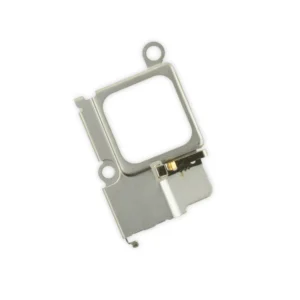
Note: This is not the display assembly and does not contain the LCD | iPhone 5s/SE (1st Gen) Front Panel Assembly Cable Bracket
Replace a bent or missing metal bracket securing the front panel assembly cable connectors to the logic board in an iPhone 5s or 1st generation iPhone SE. | This iPhone 5s replacement battery is what you need to bring your dead iPhone 5s back to life!
- Tested to confirm there are no cycles on the cell and the capacity is 95% or higher.
- 100% factory tested with a customer return rate of only 1%.
- Assembled using high quality chipset from Texas Instruments.
- Adhesive is preinstalled to improve the quality of your repair.
Battery degradation is an inevitable part of your iPhone 5s’s lifespan. Extend the life of your phone with this new replacement battery compatible with iPhone 5s. If your iPhone 5s won't turn on, is stuck in a boot loop, has a "service battery" warning, or simply won't hold a charge, this replacement battery may be what you need to fix it.
Note: For optimal performance, calibrate your newly installed battery: Charge it to 100% and keep charging it for at least 2 more hours. Then use your device until it shuts off due to low battery. Finally, charge it uninterrupted to 100%.
Specifications:
| Watt Hours |
5.93 Wh |
| Voltage |
3.8 V |
| Milliamp Hours |
1560 mAh |
| Manufacturer |
Aftermarket |
| Compatible Part Numbers |
616-0718, 616-0719, 616-0720, 616-0721, 616-0722, 616-0728 |
| iPhone 5s/SE (1st Gen) Front Camera and Sensor Cable
- Replace a front-facing camera and sensor cable in your iPhone 5s or 1st generation iPhone SE and fix problems with front-facing camera images,
- poor noise cancelling for phone calls,
- or malfunctioning screen brightness adjustment.
Note: Some new Front Camera and Sensor Cables will include an extra tab that is used in parts testing | iPhone 5s/5c Test Cable for Lightning Connector
This handy test cable makes it easy to check the functions of a lightning connector assembly without having to complete the installation.
- Indispensable to anyone who makes multiple iPhone 5s or 5c repairs.
- With this cable installed in the phone's body you can connect, test, and quickly swap multiple replacement lightning connector assemblies without wearing out the delicate press fit connector on the logic board.
|





Reviews
There are no reviews yet.