| SKU | iPhone 13 mini Audio Control Cable and Wireless Charging Antenna | iPhone 5c Wi-Fi and Bluetooth Antenna | iPhone 5s/SE (1st Gen) Earpiece Speaker | iPhone 5s/SE (1st Gen) Home Button Bracket | iPhone 5s Blank Rear Case | iPhone 5s Front Camera and Sensor Cable |
| Description |
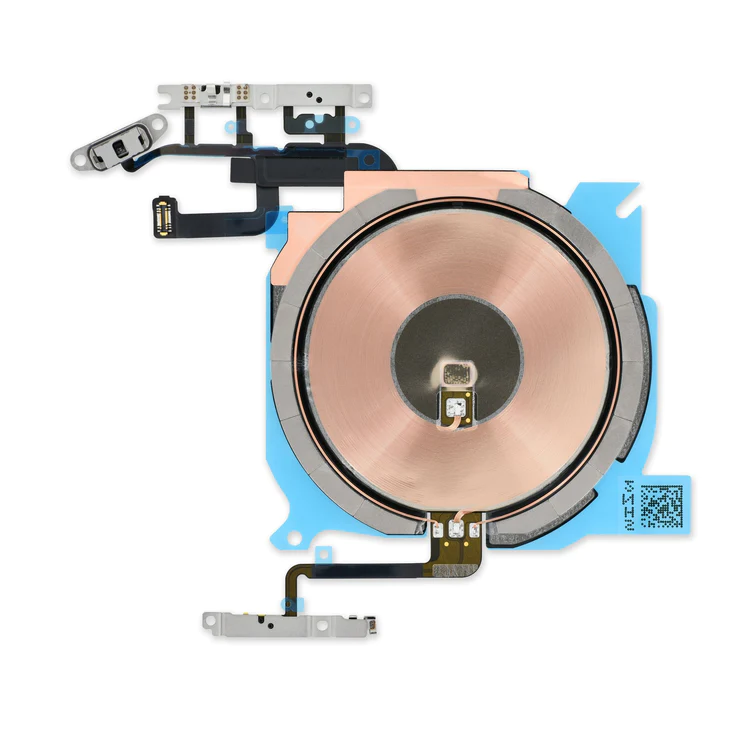
- Replace the cable that connects the internal volume buttons, vibrate/ring switch, and power button to the logic board of your iPhone 13 mini. In addition, this cable includes the Wireless Charging Antenna Coil.
- Fix issues with volume adjustment, vibration, and cordless charging.
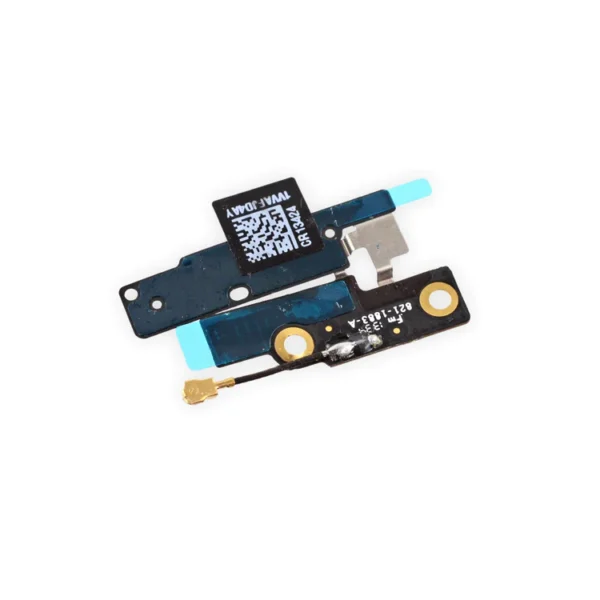
Note: The external button covers are not included. | Replace a torn or missing Wi-Fi and Bluetooth antenna in your iPhone 5c and fix unreliable connectivity to Wi-Fi and Bluetooth service.
This antenna is adhered in the top left corner of the rear case. | Replace a malfunctioning earpiece speaker in your iPhone 5s or 1st generation iPhone SE and fix problems with phone call audio.
- This is the speaker used to listen while the phone is held to your ear.
- Earpiece speaker functions can be affected by water damage, dust ingress, or a blown speaker.
| Replace a bent or missing metal bracket that secures the home button assembly to the display assembly in your iPhone 5s or 1st generation iPhone SE. |
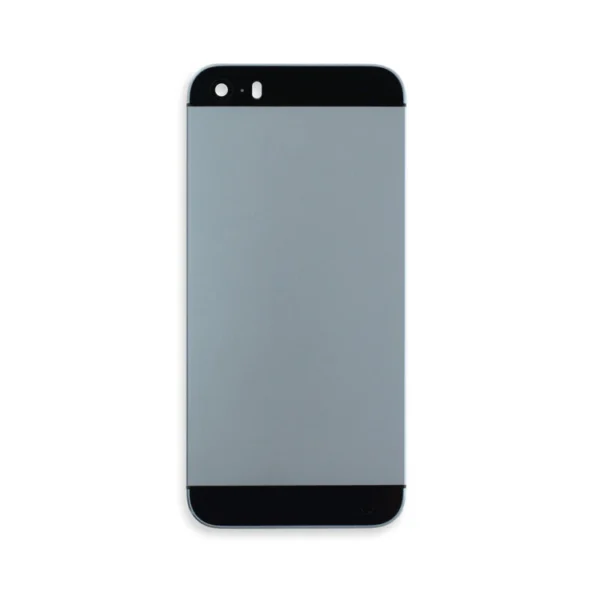
- Black rear case includes black glass panels at top and bottom.
- Silver or gold rear case includes white glass panels at top and bottom.
|
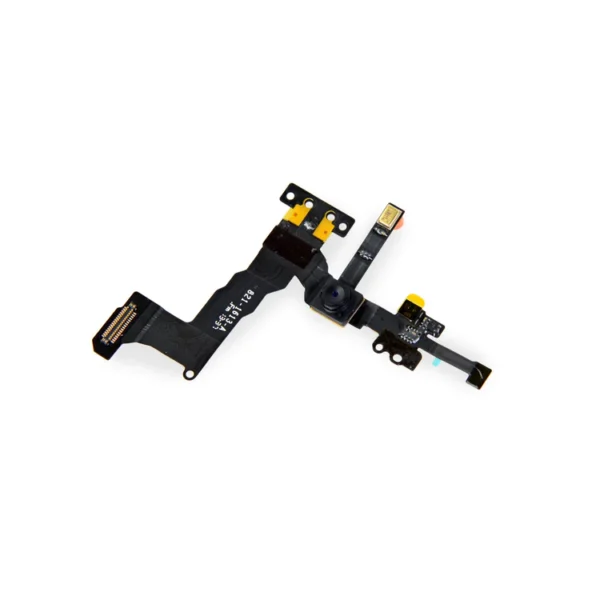
- Replace a front-facing camera and sensor cable in your iPhone 5s or 1st generation iPhone SE and fix problems with front-facing camera images,
- poor noise cancelling for phone calls,
- or malfunctioning screen brightness adjustment.
|
| Content | iPhone 13 mini Audio Control Cable and Wireless Charging Antenna
- Replace the cable that connects the internal volume buttons, vibrate/ring switch, and power button to the logic board of your iPhone 13 mini. In addition, this cable includes the Wireless Charging Antenna Coil.
- Fix issues with volume adjustment, vibration, and cordless charging.
Note: The external button covers are not included. | iPhone 5c Wi-Fi and Bluetooth Antenna
Replace a torn or missing Wi-Fi and Bluetooth antenna in your iPhone 5c and fix unreliable connectivity to Wi-Fi and Bluetooth service.
This antenna is adhered in the top left corner of the rear case. | iPhone 5s/SE (1st Gen) Earpiece Speaker
Replace a malfunctioning earpiece speaker in your iPhone 5s or 1st generation iPhone SE and fix problems with phone call audio.
- This is the speaker used to listen while the phone is held to your ear.
- Earpiece speaker functions can be affected by water damage, dust ingress, or a blown speaker.
Note: This is a used OEM part. | iPhone 5s/SE (1st Gen) Home Button Bracket
Replace a bent or missing metal bracket that secures the home button assembly to the display assembly in your iPhone 5s or 1st generation iPhone SE. | iPhone 5s Blank Rear Case
- Black rear case includes black glass panels at top and bottom.
- Silver or gold rear case includes white glass panels at top and bottom.
| iPhone 5s/SE (1st Gen) Front Camera and Sensor Cable
- Replace a front-facing camera and sensor cable in your iPhone 5s or 1st generation iPhone SE and fix problems with front-facing camera images,
- poor noise cancelling for phone calls,
- or malfunctioning screen brightness adjustment.
Note: Some new Front Camera and Sensor Cables will include an extra tab that is used in parts testing |






Reviews
There are no reviews yet.