| SKU | iPhone 7 Plus Earpiece Speaker Mesh Bracket | iPhone 7 Plus Front Panel Clips | iPhone 7/7 Plus Test Cable for Front Camera and Sensors | iPhone 7 Plus Audio Control Cable and Brackets | iPhone 7 Plus Top Left Antenna | iPhone 7/7 Plus Power/Volume Button Retaining Clips |
| Description |
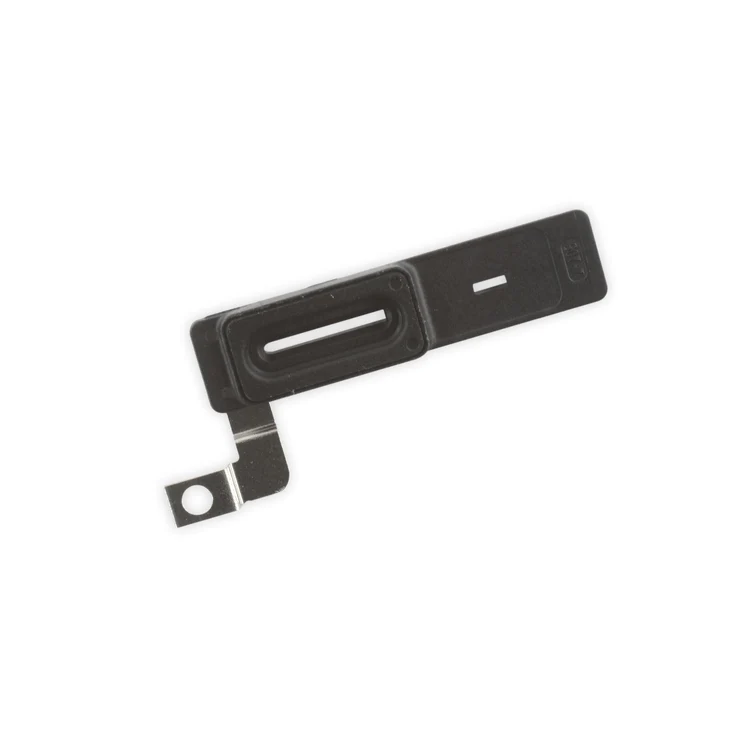
- Replace the plastic bracket that holds the earpiece speaker dust proof mesh in place against the inside of the front panel assembly in your iPhone 7 Plus.
- Includes the gasket that seals this bracket to the earpiece speaker.
|
- Replace the set of six retaining clips in the edges of the rear case.
- Set includes two small clips and four large clips.
- These clips help hold the front panel assembly in place.
|
- This handy test cable makes it easy to check the functions of an iPhone 7 or iPhone 7 Plus front-facing camera and sensor cable assembly without having to complete the installation and close up the iPhone's case.
- Indispensable to anyone who makes multiple iPhone 7 and iPhone 7 Plus repairs.
- With this cable installed you can connect, test, and quickly swap multiple replacement front-facing camera and sensor cables without wearing out the delicate press fit connectors on the logic board.
|
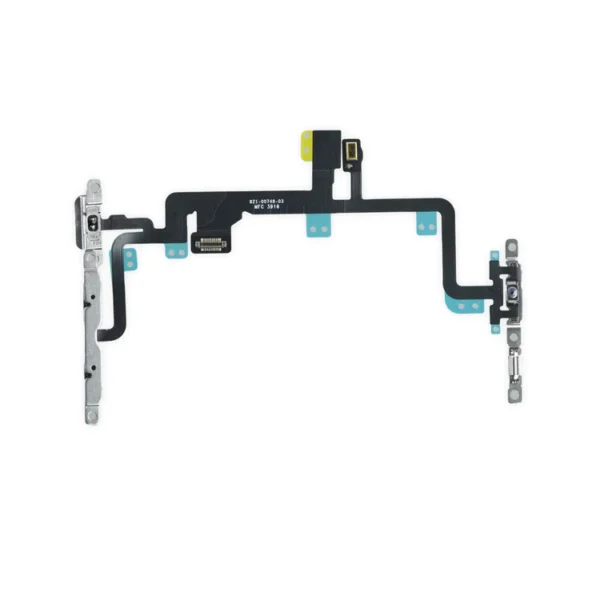
- This cable connects the volume buttons, vibrate/ring switch, and power button to the logic board.
- The metal button brackets are included.
Specifications:
| Replace the antenna in the top left of the rear case in your iPhone 7 Plus. | Replace the internal clips that hold the external button covers in place.
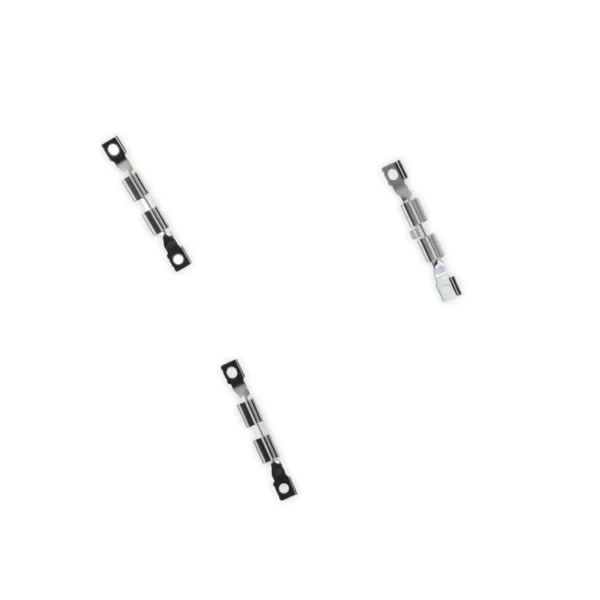
These clips snap over the posts on the inside of the power and volume button covers, preventing the button covers from falling out of the iPhone's case.
Set of three clips. |
| Content | iPhone 7 Plus Earpiece Speaker Mesh Bracket
- Replace the plastic bracket that holds the earpiece speaker dust proof mesh in place against the inside of the front panel assembly in your iPhone 7 Plus.
- Includes the gasket that seals this bracket to the earpiece speaker.
| iPhone 7 Plus Front Panel Clips
- Replace the set of six retaining clips in the edges of the rear case.
- Set includes two small clips and four large clips.
- These clips help hold the front panel assembly in place.
| iPhone 7/7 Plus Test Cable for Front Camera and Sensors
- This handy test cable makes it easy to check the functions of an iPhone 7 or iPhone 7 Plus front-facing camera and sensor cable assembly without having to complete the installation and close up the iPhone's case.
- Indispensable to anyone who makes multiple iPhone 7 and iPhone 7 Plus repairs.
- With this cable installed you can connect, test, and quickly swap multiple replacement front-facing camera and sensor cables without wearing out the delicate press fit connectors on the logic board.
| iPhone 7 Plus Audio Control Cable and Brackets
- This cable connects the volume buttons, vibrate/ring switch, and power button to the logic board.
- The metal button brackets are included.
Specifications:
| iPhone 7 Plus Top Left Antenna
Replace the antenna in the top left of the rear case in your iPhone 7 Plus. | iPhone 7/7 Plus Power/Volume Button Retaining Clips
Replace the internal clips that hold the external button covers in place.
These clips snap over the posts on the inside of the power and volume button covers, preventing the button covers from falling out of the iPhone's case.
Set of three clips. |
| Additional information |
|
|
|
|
|
|




Reviews
There are no reviews yet.