Description
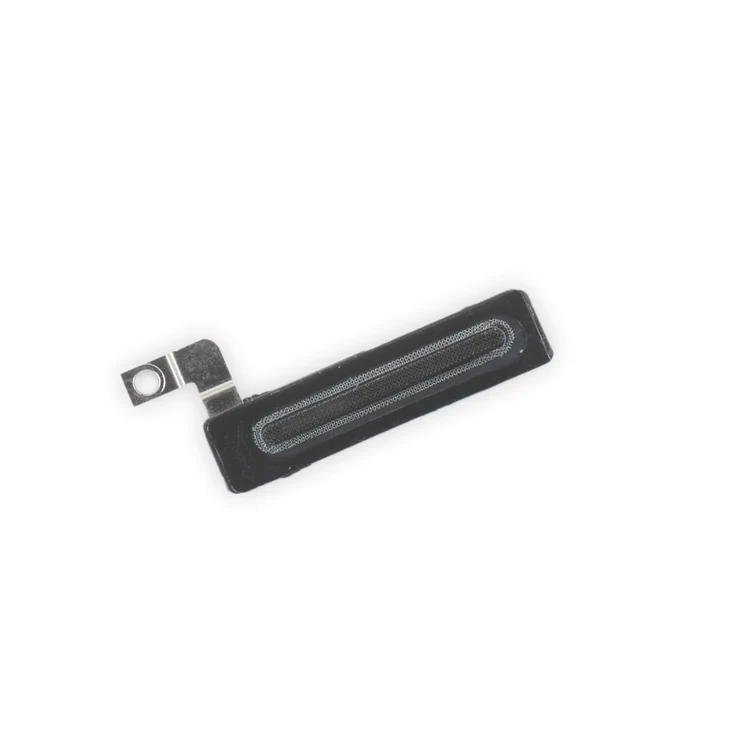
iPhone 7 Plus Earpiece Speaker Mesh Bracket Assembly
Replace the plastic bracket that holds the earpiece speaker dust proof mesh in place against the inside of the front panel assembly in your iPhone 7 Plus.

$9.00
Replace the plastic bracket that holds the earpiece speaker dust proof mesh in place against the inside of the front panel assembly in your iPhone 7 Plus.
Replace the plastic bracket that holds the earpiece speaker dust proof mesh in place against the inside of the front panel assembly in your iPhone 7 Plus.
| iPhone 7 Plus Parts | |
|---|---|
| IPhones Repair Parts |
| iPhone 7 Plus Earpiece Speaker Mesh Bracket Assembly remove | iPhone 7/7 Plus Power/Volume Button Retaining Clips remove | iPhone 7/7 Plus Test Cable for Front Camera and Sensors remove | iPhone 7 Plus Dual Rear Camera remove | iPhone 7/7 Plus Power and Volume Button Gaskets remove | iPhone 7 Plus/8 Plus Home Button Bracket remove | |||||||||||||||||||||||||||
|---|---|---|---|---|---|---|---|---|---|---|---|---|---|---|---|---|---|---|---|---|---|---|---|---|---|---|---|---|---|---|---|---|
| Name | iPhone 7 Plus Earpiece Speaker Mesh Bracket Assembly remove | iPhone 7/7 Plus Power/Volume Button Retaining Clips remove | iPhone 7/7 Plus Test Cable for Front Camera and Sensors remove | iPhone 7 Plus Dual Rear Camera remove | iPhone 7/7 Plus Power and Volume Button Gaskets remove | iPhone 7 Plus/8 Plus Home Button Bracket remove | ||||||||||||||||||||||||||
| Image | 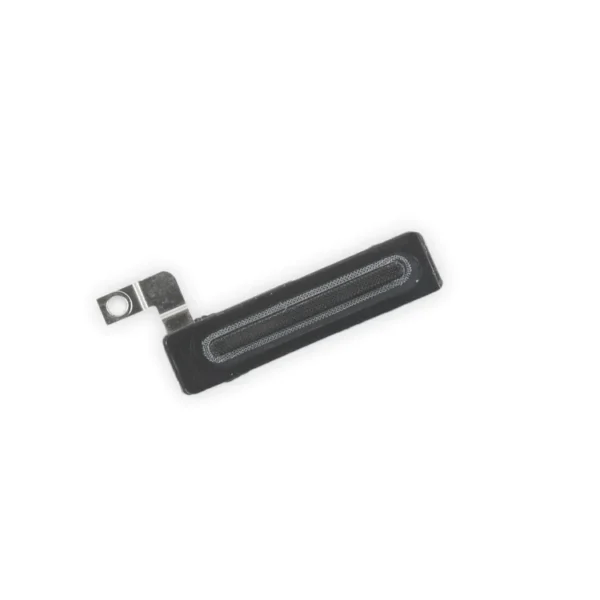 |  |  |  |  |  | ||||||||||||||||||||||||||
| SKU | iPhone 7 Plus Earpiece Speaker Mesh Bracket Assembly | iPhone 7/7 Plus Power/Volume Button Retaining Clips | iPhone 7/7 Plus Test Cable for Front Camera and Sensors | iPhone 7 Plus Dual Rear Camera | iPhone 7/7 Plus Power and Volume Button Gaskets | iPhone 7 Plus/8 Plus Home Button Bracket | ||||||||||||||||||||||||||
| Rating | ||||||||||||||||||||||||||||||||
| Price | $9.00 | $4.00 | $11.00 | $105.00 | $9.00 | $7.00 | ||||||||||||||||||||||||||
| Stock | ||||||||||||||||||||||||||||||||
| Availability | ||||||||||||||||||||||||||||||||
| Add to cart | ||||||||||||||||||||||||||||||||
| Description |
Replace the plastic bracket that holds the earpiece speaker dust proof mesh in place against the inside of the front panel assembly in your iPhone 7 Plus. | Replace the internal clips that hold the external button covers in place. These clips snap over the posts on the inside of the power and volume button covers, preventing the button covers from falling out of the iPhone's case. Set of three clips. |
| This Dual Rear Camera includes both 12 megapixel rear-facing cameras, one wide-angle camera with Optical Image Stabilization and one telephoto camera with optical zoom.
If the camera assembly has sensor issues, problems focusing, or is malfunctioning, you'll want to replace this part. Note: If your photos look like you have a scratched lens, this part will not solve the issue. The lens opening in your rear case may be scratched. | Includes 6 gaskets.
Replace any or all of this set of six o-ring gaskets for the power or volume button face posts in an iPhone 7 or iPhone 7 Plus. Each of the volume button faces and the power button face have two posts that extend to the interior of the phone. Each post has a tiny gasket. That makes six gaskets for one phone or two for each button face. | Replace a missing or bent metal bracket securing the home button assembly to the back of the display assembly and fix a misaligned home button. | ||||||||||||||||||||||||||
| Content | iPhone 7 Plus Earpiece Speaker Mesh Bracket AssemblyReplace the plastic bracket that holds the earpiece speaker dust proof mesh in place against the inside of the front panel assembly in your iPhone 7 Plus. | iPhone 7/7 Plus Power/Volume Button Retaining ClipsReplace the internal clips that hold the external button covers in place. These clips snap over the posts on the inside of the power and volume button covers, preventing the button covers from falling out of the iPhone's case. Set of three clips. | iPhone 7/7 Plus Test Cable for Front Camera and Sensors
| iPhone 7 Plus Dual Rear CameraThis Dual Rear Camera includes both 12 megapixel rear-facing cameras, one wide-angle camera with Optical Image Stabilization and one telephoto camera with optical zoom.If the camera assembly has sensor issues, problems focusing, or is malfunctioning, you'll want to replace this part. Note: If your photos look like you have a scratched lens, this part will not solve the issue. The lens opening in your rear case may be scratched. | iPhone 7/7 Plus Power and Volume Button GasketsIncludes 6 gaskets.Replace any or all of this set of six o-ring gaskets for the power or volume button face posts in an iPhone 7 or iPhone 7 Plus. Each of the volume button faces and the power button face have two posts that extend to the interior of the phone. Each post has a tiny gasket. That makes six gaskets for one phone or two for each button face. | iPhone 7 Plus/8 Plus Home Button BracketReplace a missing or bent metal bracket securing the home button assembly to the back of the display assembly and fix a misaligned home button. | ||||||||||||||||||||||||||
| Weight | N/A | N/A | N/A | N/A | N/A | N/A | ||||||||||||||||||||||||||
| Dimensions | N/A | N/A | N/A | N/A | N/A | N/A | ||||||||||||||||||||||||||
| Additional information |
|
|
|
|
|
|


Reviews
There are no reviews yet.