| Description |
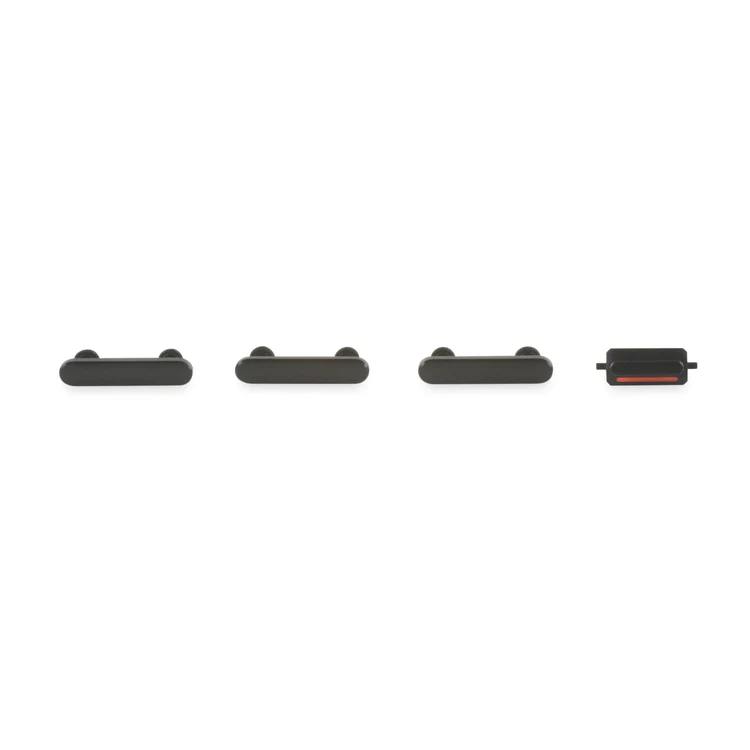
- This set of exterior case buttons includes the Power/Lock Button, Volume Buttons, and the Vibrate/Ring Switch for replacing buttons with cosmetic troubles.
- These parts are only the button faces visible on the outside of the case.
- The actual buttons and switch that do all the work are attached to the internal button cables.
| Replace a front-facing camera and sensor cable in your iPhone iPhone 7 Plus and fix problems with front-facing camera images, poor noise cancelling for phone calls, or malfunctioning screen brightness adjustment.
Specifications:
|
- This handy test cable makes it easy to check the functions of an audio control and power button cable assembly without having to complete the installation.
- Indispensable to anyone who makes multiple iPhone 7 or iPhone 7 Plus repairs.
- With this cable installed you can connect, test, and quickly swap multiple replacement audio control and power button cable assemblies without wearing out the delicate press fit connector on the logic board.
| Replace the internal clips that hold the external button covers in place.
These clips snap over the posts on the inside of the power and volume button covers, preventing the button covers from falling out of the iPhone's case.
Set of three clips. | Replace the antenna in the top left of the rear case in your iPhone 7 Plus. |
- This handy test cable makes it easy to check the functions of an iPhone 7 or iPhone 7 Plus front-facing camera and sensor cable assembly without having to complete the installation and close up the iPhone's case.
- Indispensable to anyone who makes multiple iPhone 7 and iPhone 7 Plus repairs.
- With this cable installed you can connect, test, and quickly swap multiple replacement front-facing camera and sensor cables without wearing out the delicate press fit connectors on the logic board.
|
| Content | iPhone 7 Plus Case Button Set
- This set of exterior case buttons includes the Power/Lock Button, Volume Buttons, and the Vibrate/Ring Switch for replacing buttons with cosmetic troubles.
- These parts are only the button faces visible on the outside of the case.
- The actual buttons and switch that do all the work are attached to the internal button cables.
| iPhone 7 Plus/8 Plus Home Button Bracket
Replace a missing or bent metal bracket securing the home button assembly to the back of the display assembly and fix a misaligned home button. | iPhone 7/7 Plus Test Cable for Audio Control Cable
- This handy test cable makes it easy to check the functions of an audio control and power button cable assembly without having to complete the installation.
- Indispensable to anyone who makes multiple iPhone 7 or iPhone 7 Plus repairs.
- With this cable installed you can connect, test, and quickly swap multiple replacement audio control and power button cable assemblies without wearing out the delicate press fit connector on the logic board.
| iPhone 7/7 Plus Power/Volume Button Retaining Clips
Replace the internal clips that hold the external button covers in place.
These clips snap over the posts on the inside of the power and volume button covers, preventing the button covers from falling out of the iPhone's case.
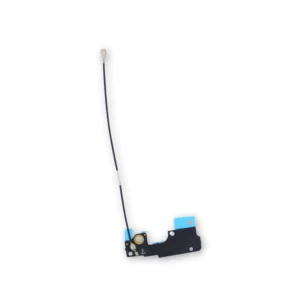
Set of three clips. | iPhone 7 Plus Top Left Antenna
Replace the antenna in the top left of the rear case in your iPhone 7 Plus. | iPhone 7/7 Plus Test Cable for Front Camera and Sensors
- This handy test cable makes it easy to check the functions of an iPhone 7 or iPhone 7 Plus front-facing camera and sensor cable assembly without having to complete the installation and close up the iPhone's case.
- Indispensable to anyone who makes multiple iPhone 7 and iPhone 7 Plus repairs.
- With this cable installed you can connect, test, and quickly swap multiple replacement front-facing camera and sensor cables without wearing out the delicate press fit connectors on the logic board.
|





Reviews
There are no reviews yet.