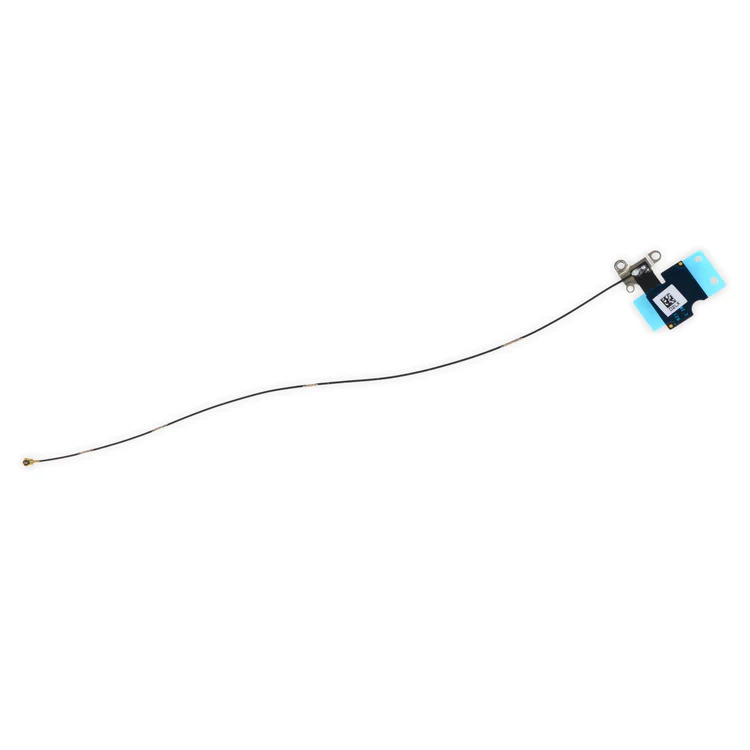
| Description | Replace a torn or missing Wi-Fi Diversity Antenna in your iPhone 6s Plus smartphone and fix unreliable connections to Wi-Fi signal.
This antenna is adhered to the speaker on the bottom edge of the rear case. | This replacement battery is what you need to bring that dead smartphone back to life.
- This battery is brand new! Each one has been tested to confirm that there are no cycles on the cell and that the capacity is 95% or higher.
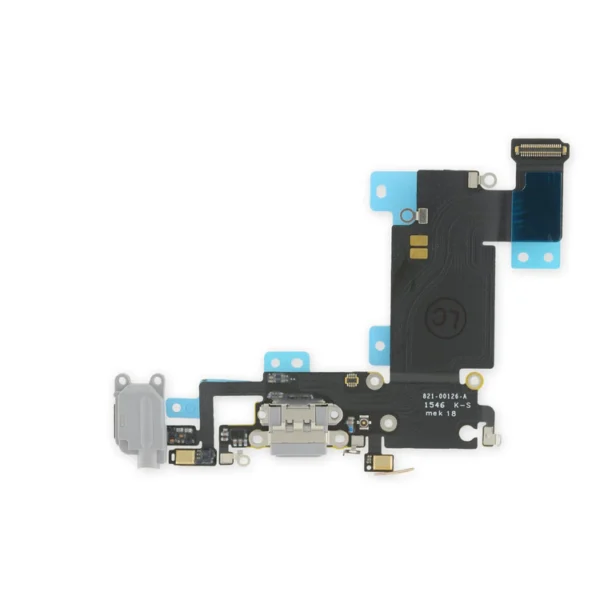
For optimal performance, calibrate your newly installed battery: Charge it to 100% and keep charging it for at least 2 more hours. Then use your device until it shuts off due to low battery. Finally, charge it uninterrupted to 100%. | Replace a torn or missing bracket that connects the logic board to the top cellular antenna in your iPhone 6s Plus. | Replace a punctured or damaged anti-dust mesh and plastic mount for the lower left microphone and keep dust and dirt from blocking the microphone. This part is compatible with an iPhone 6s Plus. | Replace a dirty, corroded, or damaged lightning connector, or a broken headphone jack in an iPhone 6s Plus. This repair may resolve a host of issues like a malfunctioning microphone, slow or nonexistent charging, limited connectivity, or spotty headphone output for your phone.
The ports on this assembly are a medium gray to match the "space gray" iPhone 6s Plus. |
- Replace the set of five retaining clips in the edges of the rear case of an iPhone 6s Plus.
- These clips help hold the front panel assembly in place. Two short clips and one long clip fit in the left edge of the rear case.
- Two more long clips fit in the right edge and one includes a flange for the antenna cable.
|
| Content | iPhone 6s Plus Wi-Fi Diversity Antenna
Replace a torn or missing Wi-Fi Diversity Antenna in your iPhone 6s Plus smartphone and fix unreliable connections to Wi-Fi signal.
This antenna is adhered to the speaker on the bottom edge of the rear case. | iPhone 6s Plus Battery
This replacement battery is what you need to bring that dead smartphone back to life.
- This battery is brand new! Each one has been tested to confirm that there are no cycles on the cell and that the capacity is 95% or higher.
For optimal performance, calibrate your newly installed battery: Charge it to 100% and keep charging it for at least 2 more hours. Then use your device until it shuts off due to low battery. Finally, charge it uninterrupted to 100%. | iPhone 6s Plus Top Center Cell Antenna Bracket
Replace a torn or missing bracket that connects the logic board to the top cellular antenna in your iPhone 6s Plus. |
iPhone 6s Plus Microphone Mount
Replace a punctured or damaged anti-dust mesh and plastic mount for the lower left microphone and keep dust and dirt from blocking the microphone. This part is compatible with an iPhone 6s Plus. | iPhone 6s Plus Lightning Connector and Headphone Jack
Replace a dirty, corroded, or damaged lightning connector, or a broken headphone jack in an iPhone 6s Plus. This repair may resolve a host of issues like a malfunctioning microphone, slow or nonexistent charging, limited connectivity, or spotty headphone output for your phone.
The ports on this assembly are a medium gray to match the "space gray" iPhone 6s Plus. | iPhone 6s Plus Front Panel Clips
- Replace the set of five retaining clips in the edges of the rear case of an iPhone 6s Plus.
- These clips help hold the front panel assembly in place. Two short clips and one long clip fit in the left edge of the rear case.
- Two more long clips fit in the right edge and one includes a flange for the antenna cable.
|





Reviews
There are no reviews yet.