Description
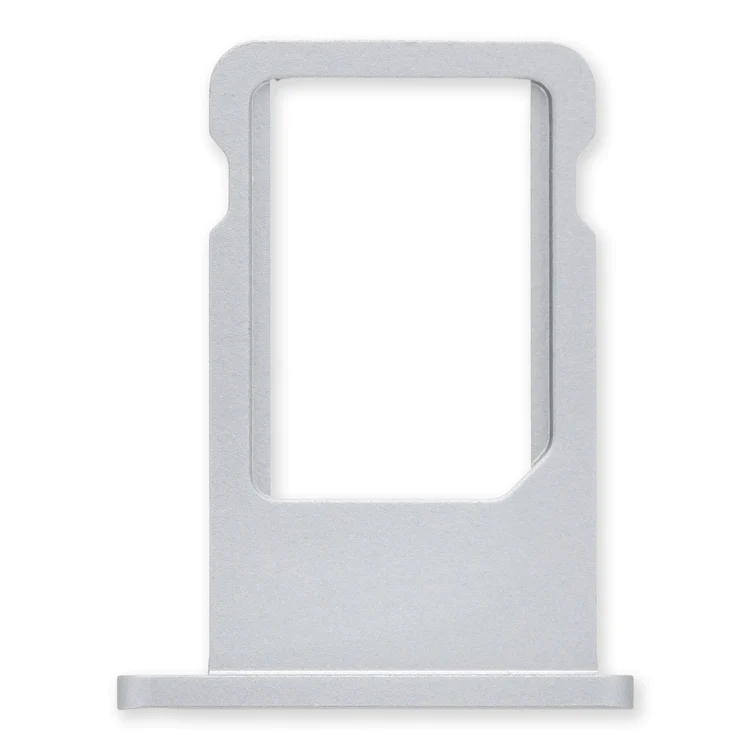
iPhone 6 Nano SIM Card Tray
Replace a bent or missing nano SIM card tray for an iPhone 6.

$11.00
Replace a bent or missing nano SIM card tray for an iPhone 6.
Replace a bent or missing nano SIM card tray for an iPhone 6.
| iPhone 6 Nano SIM Card Tray remove | iPhone 5s/SE (1st Gen) Case Button Set remove | iPhone 5s/SE (1st Gen) Rear Camera Lens Cover remove | NuGlas Tempered Glass Screen Protector for iPhone 5/5s remove | iPhone 5s/SE (1st Gen) Front Panel Assembly Cable Bracket remove | iPhone 5s/SE (1st Gen) Front Camera Bracket remove | |||||||||||||||||||||||||||||||||||||||
|---|---|---|---|---|---|---|---|---|---|---|---|---|---|---|---|---|---|---|---|---|---|---|---|---|---|---|---|---|---|---|---|---|---|---|---|---|---|---|---|---|---|---|---|---|
| Name | iPhone 6 Nano SIM Card Tray remove | iPhone 5s/SE (1st Gen) Case Button Set remove | iPhone 5s/SE (1st Gen) Rear Camera Lens Cover remove | NuGlas Tempered Glass Screen Protector for iPhone 5/5s remove | iPhone 5s/SE (1st Gen) Front Panel Assembly Cable Bracket remove | iPhone 5s/SE (1st Gen) Front Camera Bracket remove | ||||||||||||||||||||||||||||||||||||||
| Image | 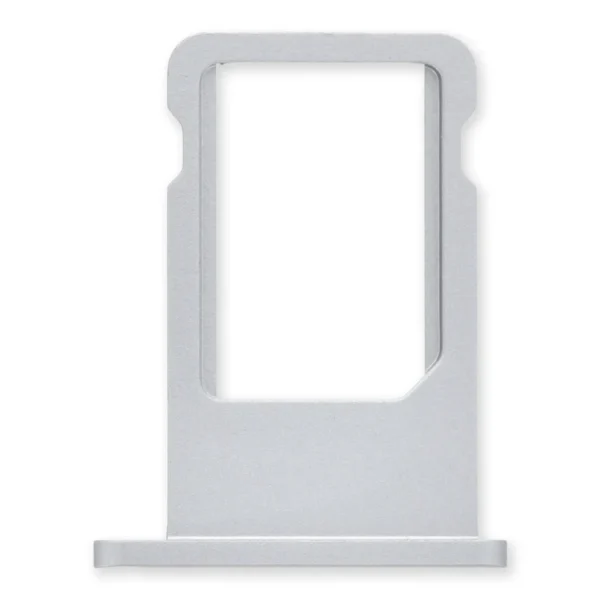 |  |  |  |  |  | ||||||||||||||||||||||||||||||||||||||
| SKU | iPhone 6 Nano SIM Card Tray | iPhone 5s/SE (1st Gen) Case Button Set | iPhone 5s/SE (1st Gen) Lens Cover | Glass Screen Protector | iPhone 5s/SE (1st Gen) cable Braket | iPhone 5s/SE Camera Bracket | ||||||||||||||||||||||||||||||||||||||
| Rating | ||||||||||||||||||||||||||||||||||||||||||||
| Price | $11.00 | $9.00 | $6.00 | $11.00 | $8.00 | $9.00 | ||||||||||||||||||||||||||||||||||||||
| Stock | ||||||||||||||||||||||||||||||||||||||||||||
| Availability | ||||||||||||||||||||||||||||||||||||||||||||
| Add to cart | ||||||||||||||||||||||||||||||||||||||||||||
| Description | Replace a bent or missing nano SIM card tray for an iPhone 6. |
| Replace a scratched external lens cover for the rear-facing camera in your iPhone 5s or 1st generation iPhone SE. | Protect the display on your iPhone 5, 5s, 5c, or 1st generation SE from impacts and scratches with this precise laser-cut screen protector.
| Replace a bent or missing metal bracket securing the front panel assembly cable connectors to the logic board in an iPhone 5s or 1st generation iPhone SE. | Replace a bent or missing metal bracket securing the front facing camera and earpiece speaker to the display assembly in an iPhone 5s or 1st generation iPhone SE. | ||||||||||||||||||||||||||||||||||||||
| Content | iPhone 6 Nano SIM Card TrayReplace a bent or missing nano SIM card tray for an iPhone 6. | iPhone 5s/SE (1st Gen) Case Button Set
| iPhone 5s/SE (1st Gen) Rear Camera Lens CoverReplace a scratched external lens cover for the rear-facing camera in your iPhone 5s or 1st generation iPhone SE. | Nu Glass Tempered Glass Screen Protector for iPhone 5/5s/5c/SE (1st Gen)Protect the display on your iPhone 5, 5s, 5c, or 1st generation SE from impacts and scratches with this precise laser-cut screen protector.
| iPhone 5s/SE (1st Gen) Front Panel Assembly Cable BracketReplace a bent or missing metal bracket securing the front panel assembly cable connectors to the logic board in an iPhone 5s or 1st generation iPhone SE. | iPhone 5s/SE (1st Gen) Front Camera BracketReplace a bent or missing metal bracket securing the front facing camera and earpiece speaker to the display assembly in an iPhone 5s or 1st generation iPhone SE. | ||||||||||||||||||||||||||||||||||||||
| Weight | N/A | N/A | N/A | N/A | N/A | N/A | ||||||||||||||||||||||||||||||||||||||
| Dimensions | N/A | N/A | N/A | N/A | N/A | N/A | ||||||||||||||||||||||||||||||||||||||
| Additional information |
|
|
|
|
|
|


Reviews
There are no reviews yet.