| SKU | iPhone 6 and 6 Plus Test Cable for Front Camera | iPhone 6 Power Button Cable and Bracket | iPhone 6 and 6 Plus Home Button Gasket | iPhone 6 Test Cable for Lightning Connector | iPhone 6 Front Camera and Sensor Cable | iPhone 6 Test Cable for Home Button and Link Cable |
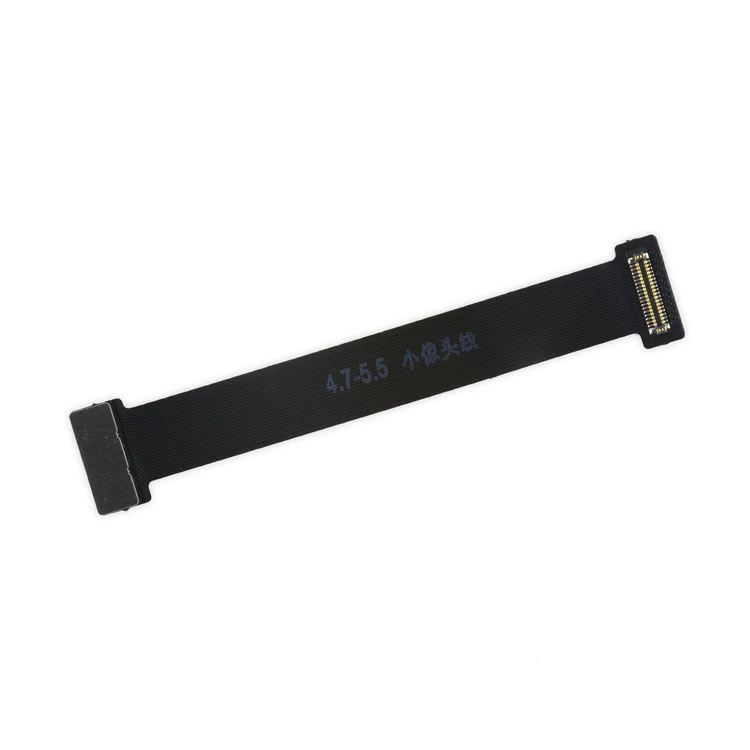
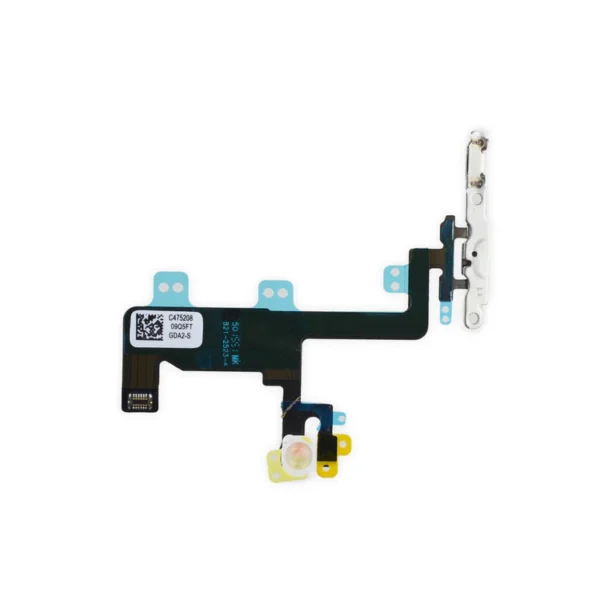
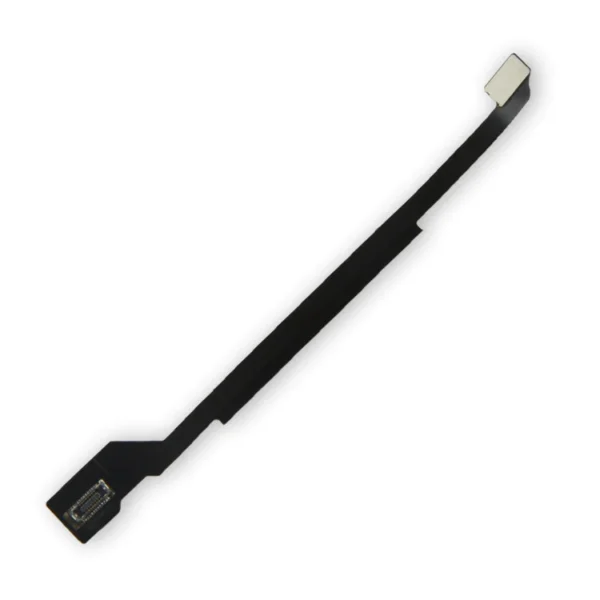
| Description | This handy test cable makes it easy to check the functions of a front camera and sensor cable assembly without having to complete the installation and is indispensable to anyone who makes multiple iPhone 6 and 6 Plus repairs. With this cable installed in an iPhone 6 or 6 Plus body you can connect, test, and quickly swap multiple replacement front camera cables without wearing out the delicate press fit connector on the logic board. | Replace the internal power button switch and cable with its metal bracket in your iPhone 6.
Specifications:
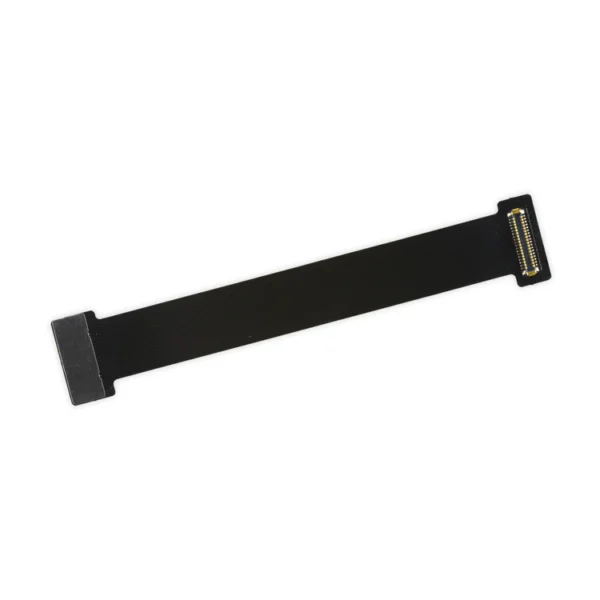
| Replace a torn or loose gasket between the home button face and the inside of the display in your iPhone 6 or 6 Plus. | This handy test cable makes it easy to check the functions of a lightning connector assembly without having to complete the installation and is indispensable to anyone who makes multiple iPhone 6 repairs.
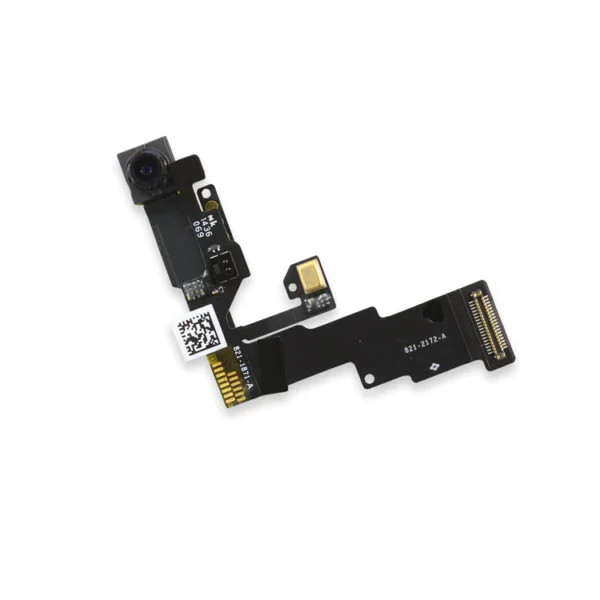
With this cable installed in the phone's body you can connect, test, and quickly swap multiple replacement lightning connector assemblies without wearing out the delicate press fit connector on the logic board. | Replace a front-facing camera and sensor cable in your iPhone 6 and fix problems with front-facing camera images, poor noise cancelling for phone calls, or malfunctioning screen brightness adjustment.
Specifications:
| This iPhone 6 Test Cable for Home Button and Link Cable is indispensable to anyone who makes multiple iPhone 6 repairs!
- Make it easy to check the function of a home button assembly through the home button link cable connection to the logic board without having to complete the installation.
- This test cable fits between the home button connector on the logic board and the connector on the home button link cable.
Note: This cable will not fit between the home button assembly and the home button link cable. |
| Content | iPhone 6 and 6 Plus Test Cable for Front Camera
This handy test cable makes it easy to check the functions of a front camera and sensor cable assembly without having to complete the installation and is indispensable to anyone who makes multiple iPhone 6 and 6 Plus repairs. With this cable installed in an iPhone 6 or 6 Plus body you can connect, test, and quickly swap multiple replacement front camera cables without wearing out the delicate press fit connector on the logic board. | iPhone 6 Power Button Cable and Bracket
Replace the internal power button switch and cable with its metal bracket in your iPhone 6.
Specifications:
| iPhone 6 and 6 Plus Home Button Gasket
Replace a torn or loose gasket between the home button face and the inside of the display in your iPhone 6 or 6 Plus. | iPhone 6 Test Cable for Lightning Connector
This handy test cable makes it easy to check the functions of a lightning connector assembly without having to complete the installation and is indispensable to anyone who makes multiple iPhone 6 repairs.
With this cable installed in the phone's body you can connect, test, and quickly swap multiple replacement lightning connector assemblies without wearing out the delicate press fit connector on the logic board. | iPhone 6 Front Camera and Sensor Cable
Replace a front-facing camera and sensor cable in your iPhone 6 and fix problems with front-facing camera images, poor noise cancelling for phone calls, or malfunctioning screen brightness adjustment.
Specifications:
| iPhone 6 Test Cable for Home Button and Link Cable
This iPhone 6 Test Cable for Home Button and Link Cable is indispensable to anyone who makes multiple iPhone 6 repairs!
- Make it easy to check the function of a home button assembly through the home button link cable connection to the logic board without having to complete the installation.
- This test cable fits between the home button connector on the logic board and the connector on the home button link cable.
Note: This cable will not fit between the home button assembly and the home button link cable. |





Reviews
There are no reviews yet.