| Description |
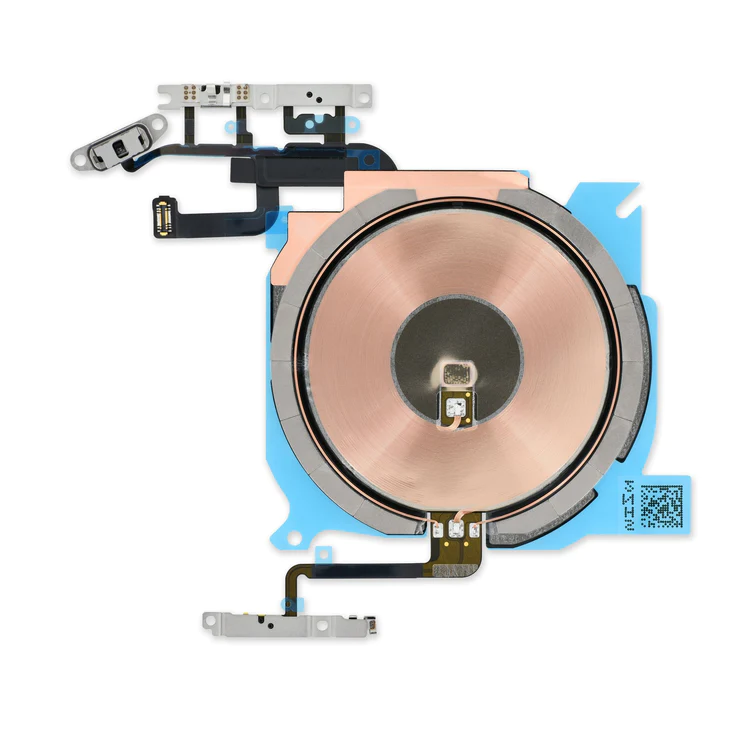
- Replace the cable that connects the internal volume buttons, vibrate/ring switch, and power button to the logic board of your iPhone 13 mini. In addition, this cable includes the Wireless Charging Antenna Coil.
- Fix issues with volume adjustment, vibration, and cordless charging.
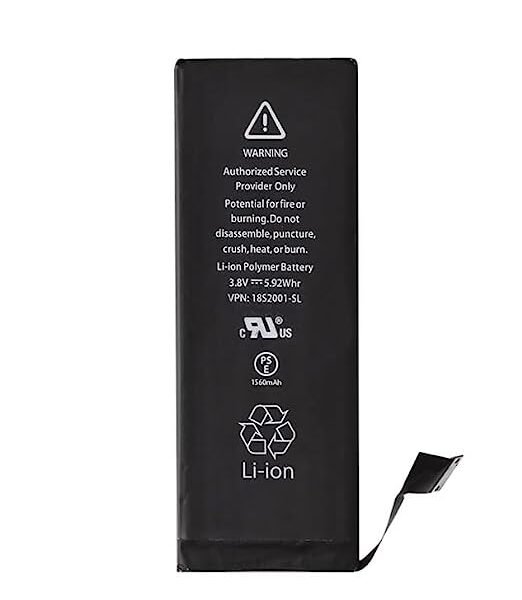
Note: The external button covers are not included. | This iPhone 5s replacement battery is what you need to bring your dead iPhone 5s back to life!
- Tested to confirm there are no cycles on the cell and the capacity is 95% or higher.
- 100% factory tested with a customer return rate of only 1%.
- Assembled using high quality chipset from Texas Instruments.
- Adhesive is preinstalled to improve the quality of your repair.
| Protect the display on your iPhone 5, 5s, 5c, or 1st generation SE from impacts and scratches with this precise laser-cut screen protector.
- Nu Glass Tempered Glass Screen Protector features an advanced silicone adhesion chemical for easy application, four-tiered layer composition (anti-scratch, oleophobic coating, heat resistance and electrostatic adhesion), so your phone will always be protected.
- Each pack contains one set of Nu Glass Tempered Glass Screen Protector
| Replace a damaged or missing exterior button face for the power/lock button, volume buttons, and vibrate/ring switch for the iPhone 5c.
Note: These are just the button parts visible on the outside of the rear case. You will need to transfer the wire hinge from your current power button. The actual buttons and switch that do all the work are attached to the Audio Control and Power Button Cable. If you are experiencing issues with your buttons not working it may actually be the Audio control & Power button cable that's bad. |
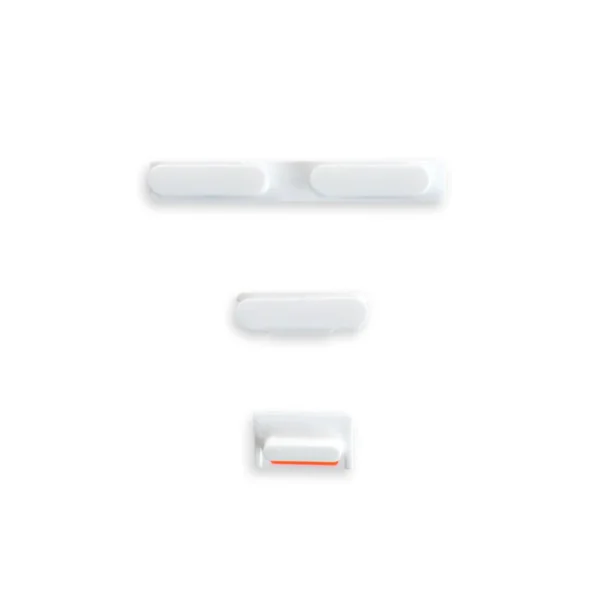
- Replace a scratched or missing exterior case button face for an iPhone 5s or 1st generation iPhone SE.
- This set of exterior case buttons includes the power/lock button, volume buttons, and the vibrate/ring switch faces.
|
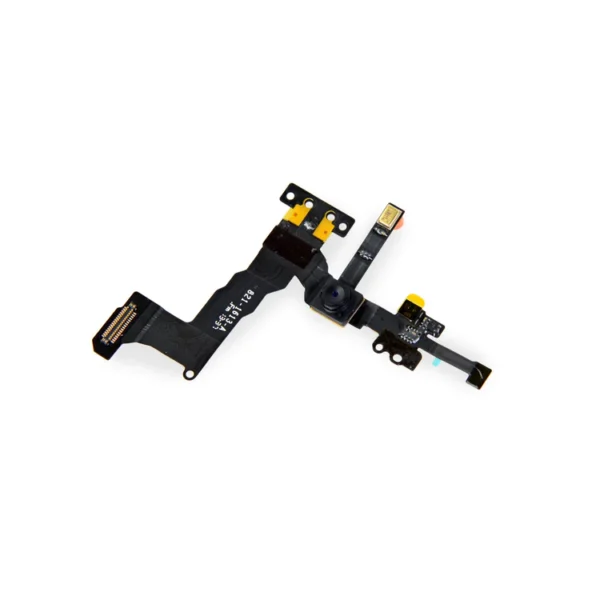
- Replace a front-facing camera and sensor cable in your iPhone 5s or 1st generation iPhone SE and fix problems with front-facing camera images,
- poor noise cancelling for phone calls,
- or malfunctioning screen brightness adjustment.
|
| Content | iPhone 13 mini Audio Control Cable and Wireless Charging Antenna
- Replace the cable that connects the internal volume buttons, vibrate/ring switch, and power button to the logic board of your iPhone 13 mini. In addition, this cable includes the Wireless Charging Antenna Coil.
- Fix issues with volume adjustment, vibration, and cordless charging.
Note: The external button covers are not included. | This iPhone 5s replacement battery is what you need to bring your dead iPhone 5s back to life!
- Tested to confirm there are no cycles on the cell and the capacity is 95% or higher.
- 100% factory tested with a customer return rate of only 1%.
- Assembled using high quality chipset from Texas Instruments.
- Adhesive is preinstalled to improve the quality of your repair.
Battery degradation is an inevitable part of your iPhone 5s’s lifespan. Extend the life of your phone with this new replacement battery compatible with iPhone 5s. If your iPhone 5s won't turn on, is stuck in a boot loop, has a "service battery" warning, or simply won't hold a charge, this replacement battery may be what you need to fix it.
Note: For optimal performance, calibrate your newly installed battery: Charge it to 100% and keep charging it for at least 2 more hours. Then use your device until it shuts off due to low battery. Finally, charge it uninterrupted to 100%.
Specifications:
| Watt Hours |
5.93 Wh |
| Voltage |
3.8 V |
| Milliamp Hours |
1560 mAh |
| Manufacturer |
Aftermarket |
| Compatible Part Numbers |
616-0718, 616-0719, 616-0720, 616-0721, 616-0722, 616-0728 |
| Nu Glass Tempered Glass Screen Protector for iPhone 5/5s/5c/SE (1st Gen)
Protect the display on your iPhone 5, 5s, 5c, or 1st generation SE from impacts and scratches with this precise laser-cut screen protector.
- Nu Glass Tempered Glass Screen Protector features an advanced silicone adhesion chemical for easy application, four-tiered layer composition (anti-scratch, oleophobic coating, heat resistance and electrostatic adhesion), so your phone will always be protected.
- Each pack contains one set of Nu Glass Tempered Glass Screen Protector
| iPhone 5c Case Button Set
Replace a damaged or missing exterior button face for the power/lock button, volume buttons, and vibrate/ring switch for the iPhone 5c.
Note: These are just the button parts visible on the outside of the rear case. You will need to transfer the wire hinge from your current power button. The actual buttons and switch that do all the work are attached to the Audio Control and Power Button Cable. If you are experiencing issues with your buttons not working it may actually be the Audio control & Power button cable that's bad. | iPhone 5s/SE (1st Gen) Case Button Set
- Replace a scratched or missing exterior case button face for an iPhone 5s or 1st generation iPhone SE.
- This set of exterior case buttons includes the power/lock button, volume buttons, and the vibrate/ring switch faces.
| iPhone 5s/SE (1st Gen) Front Camera and Sensor Cable
- Replace a front-facing camera and sensor cable in your iPhone 5s or 1st generation iPhone SE and fix problems with front-facing camera images,
- poor noise cancelling for phone calls,
- or malfunctioning screen brightness adjustment.
Note: Some new Front Camera and Sensor Cables will include an extra tab that is used in parts testing |






Reviews
There are no reviews yet.