| Description |
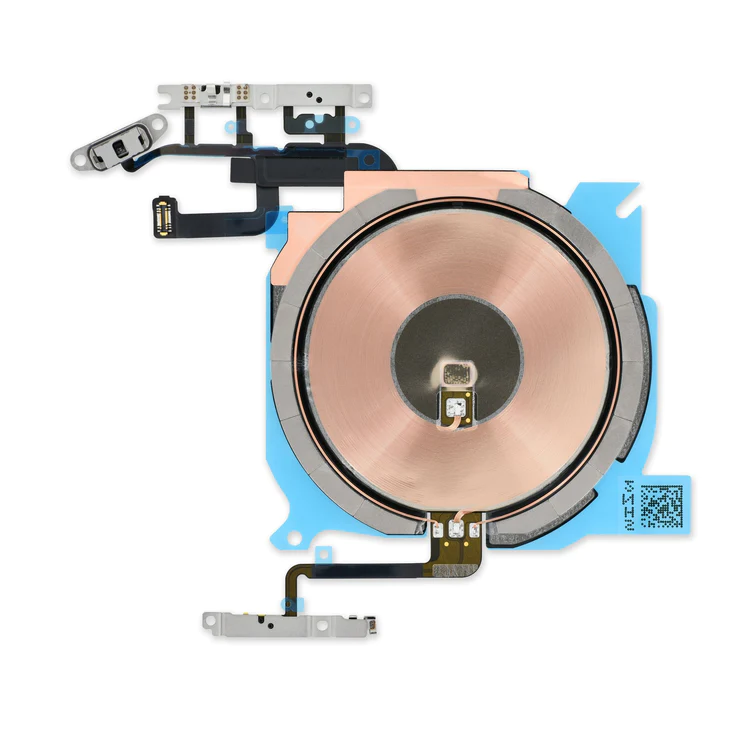
- Replace the cable that connects the internal volume buttons, vibrate/ring switch, and power button to the logic board of your iPhone 13 mini. In addition, this cable includes the Wireless Charging Antenna Coil.
- Fix issues with volume adjustment, vibration, and cordless charging.
Note: The external button covers are not included. | Specifications:
| Watt Hours |
5.73 Wh |
| Voltage |
3.8 V |
| Milliamp Hours |
1510 mAh |
| Manufacturer |
Aftermarket |
| Compatible Part Numbers |
616-0667, 616-0668, 616-0669, 616-0730, 616-0762, 661-8300, |
| Replace a bent or missing metal bracket securing the front facing camera and earpiece speaker to the display assembly in an iPhone 5s or 1st generation iPhone SE. | Replace a loudspeaker in your iPhone 5s or 1st generation iPhone SE and fix issues with speakerphone audio output.
An aging or malfunctioning speaker may have buzzing noises or cut out unexpectedly. Restore your phone's sound quality with this replacement part.
Specifications:
| This handy test cable makes it easy to check the functions of a lightning connector assembly without having to complete the installation.
- Indispensable to anyone who makes multiple iPhone 5s or 5c repairs.
- With this cable installed in the phone's body you can connect, test, and quickly swap multiple replacement lightning connector assemblies without wearing out the delicate press fit connector on the logic board.
|
- Replace a dirty, corroded, or damaged lightning connector, or a broken headphone jack in an iPhone 5s.
- This repair may resolve a host of issues like a malfunctioning microphone, slow or nonexistent charging, limited connectivity, or spotty headphone output for your iPhone 5.
|
| Content | iPhone 13 mini Audio Control Cable and Wireless Charging Antenna
- Replace the cable that connects the internal volume buttons, vibrate/ring switch, and power button to the logic board of your iPhone 13 mini. In addition, this cable includes the Wireless Charging Antenna Coil.
- Fix issues with volume adjustment, vibration, and cordless charging.
Note: The external button covers are not included. | iPhone 5c Battery
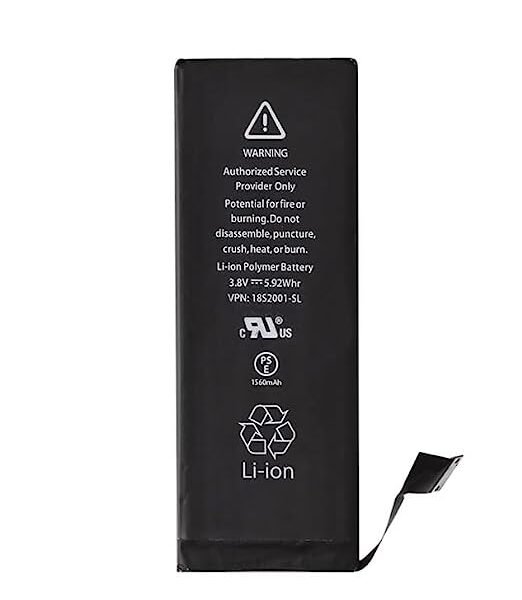
This replacement battery is what you need to bring that dead smartphone back to life.
- This battery is brand new! Each one has been tested to confirm that there are no cycles on the cell and that the capacity is 95% or higher.
Note: For optimal performance, calibrate your newly installed battery: Charge it to 100% and keep charging it for at least 2 more hours. Then use your device until it shuts off due to low battery. Finally, charge it uninterrupted to 100%.
Specifications:
| Watt Hours |
5.73 Wh |
| Voltage |
3.8 V |
| Milliamp Hours |
1510 mAh |
| Manufacturer |
Aftermarket |
| Compatible Part Numbers |
616-0667, 616-0668, 616-0669, 616-0730, 616-0762, 661-8300, |
| iPhone 5s/SE (1st Gen) Front Camera Bracket
Replace a bent or missing metal bracket securing the front facing camera and earpiece speaker to the display assembly in an iPhone 5s or 1st generation iPhone SE. | iPhone 5s/SE (1st Gen) Loudspeaker
Replace a loudspeaker in your iPhone 5s or 1st generation iPhone SE and fix issues with speakerphone audio output.
An aging or malfunctioning speaker may have buzzing noises or cut out unexpectedly. Restore your phone's sound quality with this replacement part.
Specifications:
| iPhone 5s/5c Test Cable for Lightning Connector
This handy test cable makes it easy to check the functions of a lightning connector assembly without having to complete the installation.
- Indispensable to anyone who makes multiple iPhone 5s or 5c repairs.
- With this cable installed in the phone's body you can connect, test, and quickly swap multiple replacement lightning connector assemblies without wearing out the delicate press fit connector on the logic board.
| iPhone 5s Lightning Connector and Headphone Jack
- Replace a dirty, corroded, or damaged lightning connector, or a broken headphone jack in an iPhone 5s.
- This repair may resolve a host of issues like a malfunctioning microphone, slow or nonexistent charging, limited connectivity, or spotty headphone output for your iPhone 5.
|




Reviews
There are no reviews yet.