Description
iPhone 7 Top Left Antenna
Replace a torn or missing antenna contact assembly in the top left of the rear case of your iPhone 7 and fix cellular connectivity problems.


$8.00
Replace a torn or missing antenna contact assembly in the top left of the rear case of your iPhone 7 and fix cellular connectivity problems.
Replace a torn or missing antenna contact assembly in the top left of the rear case of your iPhone 7 and fix cellular connectivity problems.
| iPhone 7 Top Left Antenna remove | iPhone 7 Lightning Connector Assembly remove | iPhone 7/7 Plus Test Cable for Audio Control Cable remove | iPhone 6s/6s Plus/7/7 Plus Backlight Filter remove | iPhone 7/7 Plus SIM Card Tray Gasket remove | iPhone 7/7 Plus Lightning Connector Grounding Spring Contact remove | |||||||||||||||||||||||||||||||||
|---|---|---|---|---|---|---|---|---|---|---|---|---|---|---|---|---|---|---|---|---|---|---|---|---|---|---|---|---|---|---|---|---|---|---|---|---|---|---|
| Name | iPhone 7 Top Left Antenna remove | iPhone 7 Lightning Connector Assembly remove | iPhone 7/7 Plus Test Cable for Audio Control Cable remove | iPhone 6s/6s Plus/7/7 Plus Backlight Filter remove | iPhone 7/7 Plus SIM Card Tray Gasket remove | iPhone 7/7 Plus Lightning Connector Grounding Spring Contact remove | ||||||||||||||||||||||||||||||||
| Image |  |  |  |  | 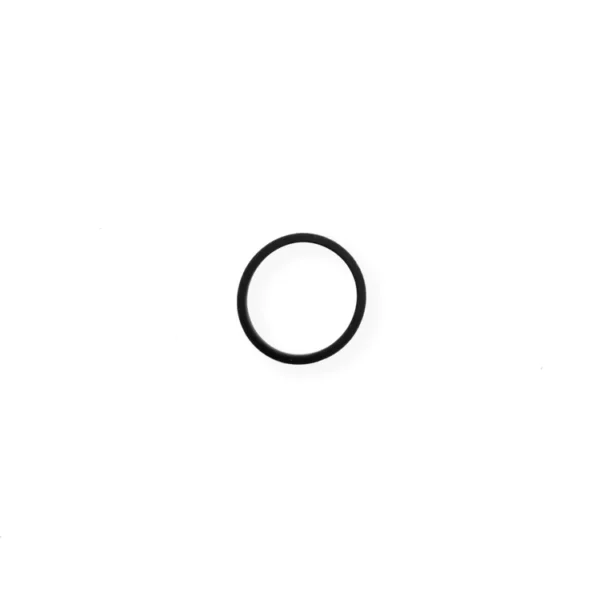 |  | ||||||||||||||||||||||||||||||||
| SKU | iPhone 7 Top Left Antenna | iPhone 7 Lightning Connector Assembly | iPhone 7/7 Plus Test Cable for Audio Control Cable | iPhone 6s/6s Plus/7/7 Plus Backlight Filter | iPhone 7/7 Plus SIM Card Tray Gasket | iPhone 7/7 Plus Lightning Connector Grounding Spring Contact | ||||||||||||||||||||||||||||||||
| Rating | ||||||||||||||||||||||||||||||||||||||
| Price | $8.00 | $27.00 | $11.00 | $4.00 | $1.00 | $6.00 | ||||||||||||||||||||||||||||||||
| Stock | ||||||||||||||||||||||||||||||||||||||
| Availability | ||||||||||||||||||||||||||||||||||||||
| Add to cart | ||||||||||||||||||||||||||||||||||||||
| Description |
Replace a torn or missing antenna contact assembly in the top left of the rear case of your iPhone 7 and fix cellular connectivity problems. | Replace a corroded or damaged lightning connector assembly in your iPhone 7.
If your phone isn't charging, has connectivity problems, is not recognized when plugged into your computer via USB, or has trouble recording audio, this part could fix the problem. Specifications:
|
| Replace a backlight filter on the logic board of the following iPhone models with their component labels:
| Replace a torn or missing gasket on the SIM card tray for an iPhone 7 or iPhone 7 Plus. This gasket fits just inside the exterior face of the SIM card tray. |
Replace the spring contact that grounds the lightning connector assembly to the back of the home button bracket in your iPhone 7 or iPhone 7 Plus. | ||||||||||||||||||||||||||||||||
| Content | iPhone 7 Top Left AntennaReplace a torn or missing antenna contact assembly in the top left of the rear case of your iPhone 7 and fix cellular connectivity problems. | iPhone 7 Lightning Connector AssemblyReplace a corroded or damaged lightning connector assembly in your iPhone 7.If your phone isn't charging, has connectivity problems, is not recognized when plugged into your computer via USB, or has trouble recording audio, this part could fix the problem. Specifications:
| iPhone 7/7 Plus Test Cable for Audio Control Cable
| iPhone 6s/6s Plus/7/7 Plus Backlight FilterReplace a backlight filter on the logic board of the following iPhone models with their component labels:
| iPhone 7/7 Plus SIM Card Tray GasketReplace a torn or missing gasket on the SIM card tray for an iPhone 7 or iPhone 7 Plus. This gasket fits just inside the exterior face of the SIM card tray. | iPhone 7/7 Plus Lightning Connector Grounding Spring ContactReplace the spring contact that grounds the lightning connector assembly to the back of the home button bracket in your iPhone 7 or iPhone 7 Plus. | ||||||||||||||||||||||||||||||||
| Weight | N/A | N/A | N/A | N/A | N/A | N/A | ||||||||||||||||||||||||||||||||
| Dimensions | N/A | N/A | N/A | N/A | N/A | N/A | ||||||||||||||||||||||||||||||||
| Additional information |
|
|
|
|
|
|


Reviews
There are no reviews yet.