Description
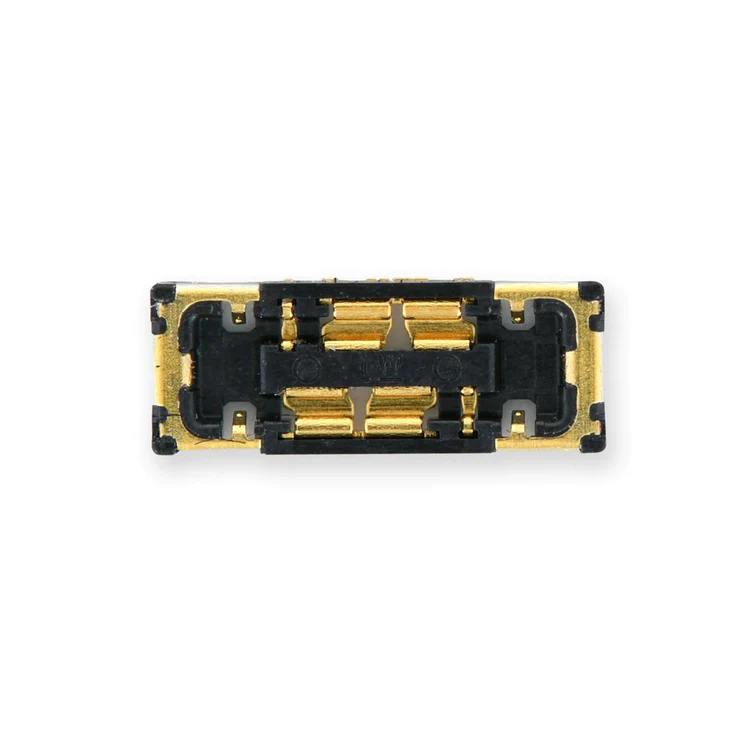
iPhone 11/11 Pro/11 Pro Max Battery Connector
Replace a damaged or corroded battery cable connector on the logic board of an iPhone 11, iPhone 11 Pro, or iPhone 11 Pro Max and save a logic board from e-waste.

$11.00
Replace a damaged or corroded battery cable connector on the logic board of an iPhone 11, iPhone 11 Pro, or iPhone 11 Pro Max and save a logic board from e-waste.
Replace a damaged or corroded battery cable connector on the logic board of an iPhone 11, iPhone 11 Pro, or iPhone 11 Pro Max and save a logic board from e-waste.
| iPhone 11 Pro Parts | |
|---|---|
| IPhones Repair Parts | |
| iPhone 11 Parts | |
| iPhone 11 Pro Max Parts |
| iPhone 11/11 Pro/11 Pro Max Battery Connector remove | iPhone 11 Single SIM Card Slot/Reader remove | iPhone 11 Earpiece Speaker and Sensor Assembly remove | iPhone 11 Pro and Pro Max Rear Camera remove | iPhone 11 Vibrator remove | iPhone 11 Rear Camera Lens Covers remove | |||||||||||||||||||||||||||||||
|---|---|---|---|---|---|---|---|---|---|---|---|---|---|---|---|---|---|---|---|---|---|---|---|---|---|---|---|---|---|---|---|---|---|---|---|---|
| Name | iPhone 11/11 Pro/11 Pro Max Battery Connector remove | iPhone 11 Single SIM Card Slot/Reader remove | iPhone 11 Earpiece Speaker and Sensor Assembly remove | iPhone 11 Pro and Pro Max Rear Camera remove | iPhone 11 Vibrator remove | iPhone 11 Rear Camera Lens Covers remove | ||||||||||||||||||||||||||||||
| Image |  |  |  |  |  |  | ||||||||||||||||||||||||||||||
| SKU | iPhone 11/11 Pro/11 Pro Max Battery Connector | iPhone 11 Single SIM Card Slot/Reader | iPhone 11 Earpiece Speaker and Sensor Assembly | iPhone 11 Pro and Pro Max Rear Camera | iPhone 11 Vibrator | iPhone 11 Rear Camera Lens Covers | ||||||||||||||||||||||||||||||
| Rating | ||||||||||||||||||||||||||||||||||||
| Price | $11.00 | $17.00 | $41.00 | $158.00 | $11.00 | $7.00 | ||||||||||||||||||||||||||||||
| Stock | ||||||||||||||||||||||||||||||||||||
| Availability | ||||||||||||||||||||||||||||||||||||
| Add to cart | ||||||||||||||||||||||||||||||||||||
| Description |
Replace a damaged or corroded battery cable connector on the logic board of an iPhone 11, iPhone 11 Pro, or iPhone 11 Pro Max and save a logic board from e-waste. | Replace a dirty, corroded, or bent SIM card tray socket and card reader for a single SIM model iPhone 11.
Note: The SIM card tray is not included.
Specifications:
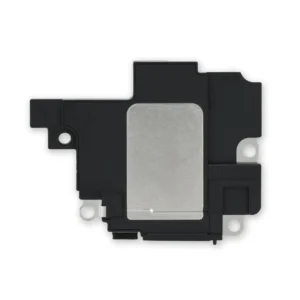
| Replace a malfunctioning earpiece speaker in your iPhone 11. Restore phone call audio and some sensor functions.
| Replace a triple 12 MP rear-facing camera assembly in your iPhone 11 Pro and Pro Max.
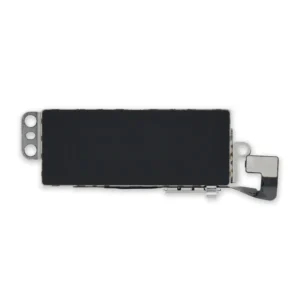
If your rear camera has sensor issues, focusing problems, or shows a blank image, you’ll want to replace this part. Note: The lens cover is not physically integrated with this part—it's on your iPhone's rear case—so replacing the camera won't fix a scratched lens cover. | Fix problems with vibration alerts and haptic feedback by replacing a malfunctioning linear oscillator motor.
Specifications:
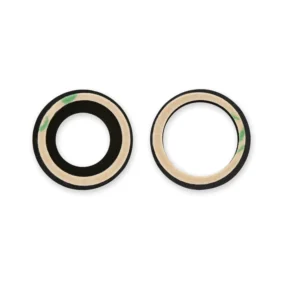
| Replace the two external lens covers for the rear-facing cameras compatible with the iPhone 11.
Installation adhesive is included. Note: The metal lens cover bezels are not included. | ||||||||||||||||||||||||||||||
| Content | iPhone 11/11 Pro/11 Pro Max Battery ConnectorReplace a damaged or corroded battery cable connector on the logic board of an iPhone 11, iPhone 11 Pro, or iPhone 11 Pro Max and save a logic board from e-waste. | iPhone 11 Single SIM Card Slot/ReaderReplace a dirty, corroded, or bent SIM card tray socket and card reader for a single SIM model iPhone 11. Note: The SIM card tray is not included. Specifications:
| iPhone 11 Earpiece Speaker and Sensor AssemblyReplace a malfunctioning earpiece speaker in your iPhone 11. Restore phone call audio and some sensor functions.
| iPhone 11 Pro and Pro Max Rear CameraReplace a triple 12 MP rear-facing camera assembly in your iPhone 11 Pro and Pro Max.If your rear camera has sensor issues, focusing problems, or shows a blank image, you’ll want to replace this part. Note: The lens cover is not physically integrated with this part—it's on your iPhone's rear case—so replacing the camera won't fix a scratched lens cover. | iPhone 11 VibratorFix problems with vibration alerts and haptic feedback by replacing a malfunctioning linear oscillator motor. Specifications:
| iPhone 11 Rear Camera Lens CoversReplace the two external lens covers for the rear-facing cameras compatible with the iPhone 11.Installation adhesive is included. Note: The metal lens cover bezels are not included. | ||||||||||||||||||||||||||||||
| Weight | N/A | N/A | N/A | N/A | N/A | N/A | ||||||||||||||||||||||||||||||
| Dimensions | N/A | N/A | N/A | N/A | N/A | N/A | ||||||||||||||||||||||||||||||
| Additional information |
|
|
|
|
|
|
Reviews
There are no reviews yet.